Who Called Me UK: The Ultimate Guide to Identifying Unknown Callers and Avoiding Scams 2026
An unknown number flashes on your screen. Do you answer it? Ignore it? A moment of hesitation is common for millions across the UK. The question, “who called me uk?” has become a frequent and often frustrating part of daily life. With the rise of sophisticated scams and unsolicited marketing calls, simply identifying who is on the other end of the line has become a critical skill for personal security.
You’re not alone in your concern. Unwanted calls can range from harmless telemarketing to dangerous fraud attempts. This guide is your complete resource for navigating this challenge. We will explore the best tools to identify unknown callers, break down the most common scam tactics used in the UK, and provide actionable steps to protect yourself. By the end, you’ll have the confidence to manage unknown calls safely and effectively.

Why You Must Identify Unknown Callers
Ignoring an unknown number might seem like the easiest option, but it isn’t always the most practical. The call could be from a delivery driver, a doctor’s office, or a potential employer. However, the risk of it being a nuisance or a threat is very real. Scam calls are no longer just a minor annoyance; they are a significant problem that can lead to financial loss and emotional distress.
Fraudsters are becoming increasingly clever. They use technology to “spoof” legitimate numbers, making it appear as though the call is from a trusted source like your bank or a government agency. Their goal is to create a sense of urgency or fear to trick you into revealing personal information or making a payment. This makes tools that help you answer the question “who called me UK” more essential than ever. By identifying a caller before you engage, you can screen out threats and answer important calls with peace of mind.
Top Tools and Services to Identify “Who Called Me UK”
Several excellent services have emerged to help you identify unknown numbers. They range from powerful, feature-rich apps to community-driven websites. Here’s an honest look at some of the most popular options available to UK residents, complete with their strengths and weaknesses.
Truecaller: The Global Powerhouse
Truecaller is one of the most recognized names in caller identification worldwide, with over 450 million users. It functions as a comprehensive app that replaces your standard phone dialer, offering real-time caller ID, spam blocking, and reverse phone number lookup.
When a number calls you, Truecaller checks it against its massive, community-updated database. If the number has been reported as spam by other users, it will be flagged instantly, often with a warning like “Spam Risk” or “Potential Fraud.” You can search for numbers directly on their website or through the app to see details contributed by the community.
Pros:
- Massive Database: Its global user base means it can identify a vast range of numbers, including international spam.
- Real-Time Identification: Identifies callers as they ring, so you can decide whether to answer.
- Automatic Spam Blocking: The premium version can automatically block known spammers, preventing your phone from even ringing.
- Detailed Statistics: Provides insights like how many times a number has been reported as spam, its peak calling hours, and more.
Cons:
- Requires App Installation: To get the full benefits, you need to install the app and grant it permissions, which some users may be hesitant to do.
- Data Sourcing: Relies on its community to report and name numbers, which can occasionally lead to outdated or incorrect information.
- Premium Features: The most powerful features, like advanced spam blocking and an ad-free experience, require a paid subscription.
Who Called Me?: The Community Watchdog
Check UK-focused resource that operates on a simple, community-driven principle. It’s a free reverse lookup directory where users can search for a number and see reports left by others who have received a call from it.
If you get a call from an unfamiliar number, you can type it into the site’s search bar. You’ll instantly see comments and feedback from other users detailing their experiences. For example, you might find reports identifying a number as a specific company’s sales team, a charity fundraiser, or a known scam. This collective intelligence makes it a powerful tool for quickly assessing a number’s legitimacy.
Pros:
- Completely Free: There are no fees or subscriptions to use the service.
- UK-Focused: The database is specifically tailored to numbers operating within the United Kingdom.
- No App Required: It’s a web-based service, so you don’t need to download anything or give permissions.
- User-Generated Context: You get real, first-hand accounts from people who have already dealt with the caller.
Cons:
- Not Real-Time: You have to manually look up the number after receiving the call; it doesn’t identify the caller as they ring.
- Dependent on Reports: The usefulness of the service for any given number depends on whether other people have reported it. New spam numbers may not have any entries yet.
- Site Accessibility: The site is exclusively for UK citizens, which can block access for those on holiday abroad without using their mobile app.
Amnesty International UK
Sometimes, an unknown call isn’t a scam but a legitimate contact from a charity. Amnesty International UK is transparent about its telephone fundraising activities. They understand that receiving an unsolicited call can be concerning, so they provide a dedicated page on their website to help you identify if a call is genuinely from them.
They list the specific phone numbers their in-house team and professional fundraising partners use. If you receive a call from one of these numbers, you can be confident it’s a legitimate request for support for their human rights work. This level of transparency is a great example of responsible telephone outreach.
Pros:
- Full Transparency: Publicly lists the numbers they call from, removing all guesswork.
- Reduces Anxiety: Helps supporters distinguish legitimate fundraising from potential scams.
- Clear Opt-Out Process: Provides easy ways to manage your communication preferences if you no longer wish to receive calls.
Cons:
- Specific to One Organization: This information only helps identify calls from Amnesty International UK, not other charities or companies.
MobileTopUp
While primarily a service for topping up mobile credit, MobileTopUp.co.uk also provides valuable public service information through its blog. Their guide on identifying unknown callers and stopping spam is a practical resource for anyone looking to bolster their defenses.
The guide explains common scam tactics in simple terms and offers actionable advice, such as using reverse lookup tools, blocking numbers, and registering with the Telephone Preference Service (TPS). It’s a great starting point for understanding the landscape of unwanted calls in the UK.
Pros:
- Clear, Actionable Advice: The guide is easy to understand and provides practical steps you can take immediately.
- Highlights Common Scams: Educates readers on specific fraud types, like the HMRC tax scam and Amazon Prime scam.
- Free and Accessible: The information is available to everyone on their website without any cost.
Cons:
- Informational Only: It’s an educational resource, not a tool for actively identifying numbers in real-time.
Common Scam Tactics to Watch For in the UK
Scammers are constantly evolving their methods, but many rely on a few core psychological tricks. Being able to recognize these tactics is your first line of defense.
Here are some of the most prevalent scams circulating in the UK:
- HMRC Tax Scam: Fraudsters impersonate officials from HM Revenue and Customs, claiming you have an unpaid tax bill. They threaten legal action or even arrest if you don’t make an immediate payment, often through unconventional means like gift cards or bank transfers.
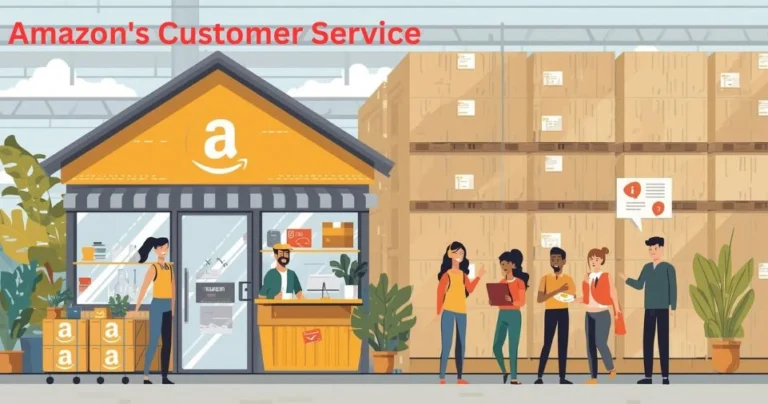
- Amazon Prime Scam: You receive an automated call stating there’s an issue with your Amazon Prime account, such as an unauthorized renewal or a lost package. They direct you to “press 1” to speak with an agent, who then attempts to phish for your account details or credit card information.
- Tech Support Scams: Callers pretend to be from Microsoft, Apple, or your internet provider. They claim your computer has been infected with a virus and offer to fix it for a fee, which often involves giving them remote access to your device. This allows them to install malware or steal your personal files.
- Bank and Financial Fraud: Someone calls claiming to be from your bank’s fraud department. They create panic by telling you your account has been compromised and that you need to move your money to a “safe” account—which is actually controlled by the scammer.
- “Too Good to Be True” Offers: You’re told you’ve won a lottery you never entered or are offered a once-in-a-lifetime investment with guaranteed high returns. These scams prey on the hope of a windfall and always require you to pay a fee or provide bank details to claim your “winnings.”
How to Protect Yourself: Your Action Plan
Now that you know the tools and the tactics, it’s time to build your defense strategy. Protecting yourself is not about being paranoid; it’s about being prepared.
- Use Reverse Lookup Tools: Before calling back an unknown number, Check the community comments to see if it’s a known scammer or telemarketer.
- Install a Caller ID App: For real-time protection, an app like Truecaller is invaluable. It can flag spam calls as they come in, allowing you to ignore them with confidence.
- Block, Don’t Engage: If you identify a number as a scam or spam, block it immediately. Do not engage with the caller, as this confirms your number is active and can lead to more calls. Never “press 1” to be removed from a list; this is often a trick.
- Register with the Telephone Preference Service (TPS): The TPS is a free service that allows you to opt out of receiving unsolicited sales and marketing calls from legitimate UK businesses. While it won’t stop fraudulent callers, it will reduce the overall volume of nuisance calls.
- Verify Independently: If a caller claims to be from your bank, HMRC, or any other organization, hang up. Find the official phone number for that organization from their website or a document you have and call them directly to verify the claim.
- Guard Your Personal Information: Never give out personal or financial details over the phone unless you initiated the call and are certain who you are speaking to. Legitimate organizations will not call you out of the blue to ask for your password, PIN, or full bank details.
- Report Suspicious Calls: Help protect others by reporting scam calls. You can report them to Action Fraud, the UK’s national fraud and cybercrime reporting center. You should also report spam numbers within apps like Truecaller to help update the community database.
Conclusion: Take Back Control of Your Phone
The question “who called me UK” is more than just a search query; it’s a reflection of a modern-day challenge. Unwanted calls interrupt our lives, cause anxiety, and pose a genuine threat to our financial security. However, you are not powerless.
By arming yourself with knowledge and using the right tools, you can turn the tables on spammers and scammers. Services like Truecaller and Who Called Me? empower you to identify callers instantly, while understanding common scam tactics allows you to recognize threats before they escalate. Take the steps outlined in this guide to screen your calls, protect your information, and enjoy a safer, more peaceful mobile experience.
Visit us for more infomation about small busiess chatbots
Frequently Asked Questions (FAQ)
1. Is it safe to call back an unknown number in the UK?
It’s generally not recommended to call back an unknown number directly. First, use a free reverse lookup service like who-called.co.uk to check for reports from other users. If it’s a legitimate caller, they will likely leave a voicemail or try to contact you through other means. Calling back a premium-rate number used by scammers can result in high charges.
2. How can I find out who owns a mobile number for free?
You can use free reverse phone lookup websites or apps. Sites like who-called.co.uk and apps like Truecaller use community-sourced data to identify the name or organization associated with a mobile number, often flagging it if it’s linked to spam or scams.
3. Will blocking a number stop all scam calls?
Blocking a specific number will stop that number from contacting you again. However, scammers frequently switch numbers (a practice known as spoofing). Therefore, while blocking is useful, it’s more effective when combined with a caller ID app that can identify and block new spam numbers as they appear.
4. What should I do if I think I’ve been scammed over the phone?
If you believe you’ve shared financial information, contact your bank immediately to secure your accounts. Report the incident to Action Fraud, the UK’s reporting center for fraud. Also, report the number through your caller ID app to help warn other users in the community.
5. How does the Telephone Preference Service (TPS) work?
The TPS is a free official registry where you can record your preference not to receive unsolicited sales or marketing calls. It is a legal requirement for legitimate UK companies to avoid calling numbers on the TPS list. While it won’t stop fraudulent callers (who operate illegally), it effectively reduces calls from legitimate telemarketers.
6. Are all unknown numbers dangerous?
No, not at all. Many unknown calls are from legitimate sources, such as a delivery service, a healthcare provider, a new business contact, or someone who has simply dialed a wrong number. The key is to use identification tools to screen calls so you can safely answer the important ones and ignore the rest.