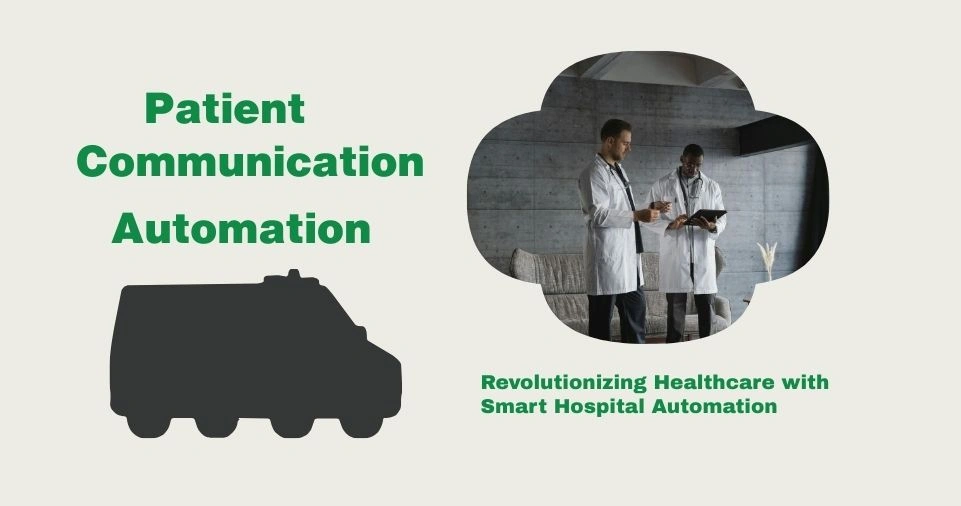
Patient Communication Automation: Answering Medical Office Questions Safely and Legally
It’s 9 AM at a busy family practice. The phone lines open, and within minutes, all four lines are ringing simultaneously:
- “What are your office hours?”
- “Can I get a prescription refill?”
- “My child has a fever—should I bring them in?”
- “I need to reschedule my appointment.”
Your front desk staff is overwhelmed. Patients on hold get frustrated. And the truly urgent calls—the ones requiring immediate medical attention—get lost in the noise.
This isn’t just an inconvenience. It’s a patient safety issue.
The average medical practice receives 45-75 phone calls daily, with staff spending 30-40% of their time answering repetitive, non-clinical questions. That’s time not spent on patient care, scheduling coordination, or addressing urgent medical needs.
The solution? Strategic patient communication automation that handles routine inquiries while maintaining strict compliance with HIPAA regulations and medical best practices.
Understanding the Legal Landscape: HIPAA and Beyond
Before implementing any automation, medical offices must understand their legal obligations:
HIPAA (Health Insurance Portability and Accountability Act)
HIPAA protects patient Protected Health Information (PHI), which includes:
- Names combined with medical information
- Treatment details
- Appointment information
- Payment records
- Any individually identifiable health data
Key requirement: Any system handling PHI must be HIPAA-compliant with:
- End-to-end encryption
- Secure data storage
- Access controls and audit logs
- Business Associate Agreements (BAAs)
- Breach notification protocols
State-Specific Regulations
Many states have additional requirements:
- California’s CMIA (Confidentiality of Medical Information Act)
- Texas Medical Records Privacy Act
- New York’s medical privacy laws
Action step: Consult with a healthcare attorney before implementing automation to ensure compliance with all applicable regulations.
Medical Practice Standards
Professional guidelines from organizations like the American Medical Association (AMA) dictate:
- Patient communications must be accurate
- Medical advice requires provider oversight
- Documentation standards for all interactions
- Clear escalation paths for medical concerns
What Can (and Cannot) Be Automated Safely
Not all patient communications are suitable for automation. Here’s the critical breakdown:
Safe to Automate ✓
Administrative information:
- Office hours and locations
- Accepted insurance plans
- Directions and parking information
- General service offerings
- New patient registration process
Appointment management:
- Scheduling non-urgent appointments
- Appointment confirmations and reminders
- Rescheduling requests
- Waitlist notifications
Form and document requests:
- Medical records release forms
- Patient intake forms
- Insurance verification documents
- Pre-visit questionnaires
Prescription refill requests:
- Capturing refill requests (routing to provider for approval)
- Pharmacy information collection
- Status updates on submitted requests
Billing inquiries:
- Payment options and plans
- Billing statement requests
- Insurance coverage verification
- General cost information
Never Automate ✗
Medical advice or diagnosis:
- Symptom assessment requiring clinical judgment
- Treatment recommendations
- Medication dosage questions
- Emergency situations
Sensitive communications:
- Test results (must come from provider)
- Diagnosis discussions
- Treatment plan changes
- Mental health concerns
Complex clinical questions:
- Drug interactions
- Side effect evaluations
- Post-procedure complications
- Unusual symptoms
Think of automation like a highly efficient receptionist—they can handle scheduling and basic information but immediately route clinical questions to medical professionals.
HIPAA-Compliant Automation Solutions
Several platforms specialize in healthcare communication automation with built-in compliance:
Patient Portal Systems
Examples: Epic MyChart, Cerner HealtheLife, athenahealth Patient Portal
Functionality: Secure messaging, appointment scheduling, test results viewing, prescription refills
Compliance features: End-to-end encryption, multi-factor authentication, automatic timeout, audit trails
Healthcare-Specific Chatbots
Examples: Hyro, Bright.md, Orbita
Functionality: 24/7 patient inquiries, symptom triage (within safe parameters), appointment scheduling
Compliance features: HIPAA-compliant data handling, BAA provisions, no PHI storage without consent
Appointment Scheduling Automation
Examples: Luma Health, Solv, Zocdoc
Functionality: Online booking, automated reminders, waitlist management, intake forms
Compliance features: Secure data transmission, limited PHI exposure, integration with EHR systems
Automated Communication Platforms
Examples: Solutionreach, Weave, Phreesia
Functionality: Text/email reminders, two-way messaging, recall campaigns, satisfaction surveys
Compliance features: HIPAA-compliant messaging, opt-in requirements, secure archiving
Platform Comparison for Medical Practices
| Platform Type | Best For | Average Cost | Setup Time | Primary Strength |
| Epic MyChart | Large health systems | Included with Epic EHR | 3-6 months | Deep EHR integration |
| Luma Health | Mid-size practices | $400-800/month | 4-6 weeks | Patient engagement focus |
| Weave | Small practices (1-5 providers) | $399-599/month | 2-3 weeks | All-in-one simplicity |
| Solv | Walk-in/urgent care | $199-499/month | 1-2 weeks | Online booking emphasis |
| Hyro Chatbot | High call-volume practices | $500-1,500/month | 6-8 weeks | Natural language AI |
| Phreesia | Specialty practices | $350-700/month | 4-6 weeks | Intake automation |
Step-by-Step Implementation Guide
Implementing patient communication automation requires careful planning to ensure safety and compliance:
Phase 1: Compliance Assessment (Weeks 1-2)
Conduct security audit:
- Review current PHI handling practices
- Identify vulnerabilities in communication workflows
- Document existing consent procedures
- Assess staff HIPAA training status
Consult legal counsel:
- Review automation plans with healthcare attorney
- Ensure state law compliance
- Draft or review Business Associate Agreements
- Update privacy policies if necessary
Phase 2: Workflow Mapping (Weeks 2-3)
Categorize all patient communications:
Create a comprehensive list of every type of inquiry your practice receives, then classify each:
- Green: Safe for full automation
- Yellow: Can automate collection, requires human review
- Red: Must remain entirely human-handled
Document escalation protocols:
- When does automation hand off to staff?
- Who handles different types of escalations?
- What’s the response time requirement for each?
Phase 3: Platform Selection (Weeks 3-4)
Evaluate based on:
HIPAA compliance: Must include BAA, encryption, audit logs
EHR integration: Should connect with your existing system (Epic, Cerner, Athena, etc.)
Usability: Both for staff and patients—complex systems won’t be adopted
Scalability: Can it grow with your practice?
Support quality: Healthcare-specific support available 24/7
Phase 4: Configuration and Testing (Weeks 5-8)
Build your automated responses:
- Write clear, patient-friendly language
- Include appropriate disclaimers
- Create multiple pathways for common scenarios
- Build in safety checks and human escalation triggers
Test extensively:
- Simulate 50+ different patient scenarios
- Include edge cases and unusual requests
- Test with staff members playing patient roles
- Verify all escalation triggers work correctly
Phase 5: Staff Training (Weeks 8-9)
Train all staff on:
- How the system works from patient perspective
- Monitoring automated interactions
- Handling escalations efficiently
- Troubleshooting common issues
- HIPAA compliance within automated system
Phase 6: Soft Launch (Weeks 10-12)
Start gradually:
- Enable automation for non-urgent appointment scheduling only
- Keep phone lines fully staffed as backup
- Monitor every interaction closely
- Gather patient and staff feedback
- Adjust based on real-world performance
Phase 7: Full Deployment (Week 12+)
Expand systematically:
- Add one new automation category every 2 weeks
- Continuously monitor safety and satisfaction metrics
- Refine responses based on patient interactions
- Document all issues and resolutions
Communication Safety Guidelines by Category
| Communication Type | Automation Level | Human Review Required | Response Time Standard |
| Office hours/location | Fully automated | Never | Instant |
| Insurance verification | Fully automated | Only if unusual situation | Instant |
| Appointment scheduling (routine) | Fully automated | Never | Instant |
| Appointment scheduling (same-day) | Automated collection | Always | Within 2 hours |
| Prescription refill requests | Automated collection | Always by prescriber | Within 24 hours |
| General billing questions | Fully automated | If patient disputes | Instant |
| Medical records requests | Automated collection | Identity verification required | Within 30 days (legal requirement) |
| Non-urgent symptoms | Information gathering only | Always by nurse/provider | Within 4 hours |
| Test result inquiries | Never automated | Always by provider | Per provider discretion |
| Urgent symptoms | Immediate escalation | Immediately | Within 15 minutes |
Real-World Success Stories
Case Study 1: Riverside Family Medicine (6-Provider Practice)
Challenge: 220+ daily phone calls overwhelming three front desk staff. Average hold time: 8 minutes. Patient complaints about accessibility increasing.
Solution: Implemented Luma Health for appointment scheduling, reminders, and basic inquiries, with Weave for two-way texting.
Compliance measures:
- BAAs signed with both vendors
- All staff completed additional HIPAA training
- Created detailed escalation protocols
- Updated patient consent forms
Results after 6 months:
- Call volume reduced by 58%
- Average hold time: 2 minutes
- Appointment no-show rate decreased from 12% to 4.5%
- Patient satisfaction scores up 31%
- Staff stress levels significantly reduced
- Zero HIPAA violations or safety incidents
Medical Director’s perspective: “We were initially concerned about patient acceptance, especially with our older population. But 73% of our patients over 65 now use the automated system for scheduling. They love the convenience.”
Case Study 2: Downtown Pediatrics (15-Provider Group)
Challenge: Parents calling after hours for basic questions. Physicians interrupted during patient visits for non-urgent matters. After-hours answering service costing $3,800 monthly.
Solution: Deployed Hyro AI chatbot on website and patient portal with carefully scripted responses for common parental concerns.
Safety protocols:
- All symptom-related queries immediately escalated to triage nurse
- Chatbot programmed with strict boundaries on medical advice
- Emergency situations flagged for immediate call routing
- Regular compliance audits conducted
Results after 4 months:
- 64% of after-hours inquiries handled without staff intervention
- Physician interruptions during clinic hours decreased 71%
- Answering service costs eliminated (saving $45,600 annually)
- Parent satisfaction with accessibility increased by 44%
- Triage nurse can focus on truly urgent situations
Practice Manager’s insight: “Parents appreciate getting immediate answers to questions like ‘When do you open?’ or ‘Do you take my insurance?’ at 11 PM. Meanwhile, the chatbot routes any medical concern directly to our on-call nurse within seconds.”
Cost-Benefit Analysis for Typical Medical Practice
| Metric | Before Automation | After Automation | Improvement |
| Phone calls handled/day | 65 calls | 26 calls | -60% |
| Average hold time | 7 minutes | 2 minutes | -71% |
| Staff FTEs on phones | 2.5 positions | 1.0 positions | -60% |
| No-show rate | 11% | 5% | -55% |
| Patient satisfaction (access) | 72% | 91% | +26% |
| After-hours contact attempts | 0 options | 24/7 availability | Infinite improvement |
| Annual labor cost (phones) | $87,500 | $35,000 | $52,500 saved |
| Technology investment | $4,800 | $7,200 | -$2,400 |
| Net annual savings | — | — | $50,100 |
Best Practices for Safe Automation
Clear Boundary Setting
Always include disclaimers:
“This automated system provides general information only. For medical advice, please speak with your healthcare provider. In case of emergency, call 911 or go to the nearest emergency room.”
Intelligent Escalation Triggers
Program your system to recognize keywords requiring human intervention:
Urgent terms: chest pain, difficulty breathing, severe bleeding, suicidal thoughts, sudden weakness
Clinical terms: diagnosis, test results, medication dosage, treatment plan, side effects
Confusion indicators: “I don’t understand,” repeated questions, contradictory responses
Robust Documentation
Maintain records of all automated interactions:
- Complete conversation transcripts
- Escalation timestamps
- Staff member who handled escalation
- Resolution details
This protects your practice legally and supports quality improvement.
Regular Compliance Audits
Monthly reviews should include:
- Random sampling of automated conversations
- Review of all escalations and outcomes
- Analysis of patient complaints or concerns
- Verification of BAA compliance
- Staff refresher training on protocols
Patient Education
Help patients understand how to use automation effectively:
During appointments: Demonstrate portal features and automated options
Signage: Clear instructions in waiting areas
Website: Detailed FAQ about automated services
Welcome packets: Include automation overview for new patients
Compliance Checklist for Healthcare Automation
| Requirement | Implementation Step | Verification Method |
| BAA with vendors | Signed agreements on file | Annual review by compliance officer |
| Data encryption | SSL/TLS protocols active | Quarterly security testing |
| Access controls | Role-based permissions set | Monthly access audit |
| Audit logs | All interactions recorded | Random sampling review |
| Patient consent | Updated consent forms | Signatures on file |
| Staff training | HIPAA automation training | Annual certification |
| Privacy policy updates | Automation disclosure added | Posted and distributed |
| Incident response plan | Breach protocols documented | Annual tabletop exercise |
| Minimum necessary standard | Only required PHI accessible | System configuration audit |
| Retention policies | Automated data retention set | Quarterly verification |
Advanced Strategies for Maximum Effectiveness
Multilingual Support
Serve diverse patient populations by implementing:
- Spanish, Chinese, and other common languages in your area
- Cultural considerations in automated responses
- Translation verification by native speakers
Predictive Analytics
Use automation data to:
- Identify seasonal trends in patient questions
- Anticipate high-volume periods
- Optimize staffing schedules
- Proactively address common concerns
Integration Layering
Connect multiple systems for seamless experience:
- EHR ↔ Patient portal ↔ Scheduling system
- Billing system ↔ Payment platform ↔ Communication tools
- Lab systems ↔ Results notification ↔ Follow-up scheduling
Personalization Without Compromising Privacy
Balance efficiency with warmth:
- Use patient’s preferred name
- Reference their specific provider
- Acknowledge appointment history appropriately
- Respect communication preferences (text vs. email vs. call)
Measuring Success: Key Performance Indicators
Efficiency Metrics
- Call volume reduction percentage
- Average speed to answer
- Staff hours saved weekly
- Appointment scheduling time per patient
Patient Experience Metrics
- Patient satisfaction scores (access)
- Portal adoption rate
- Appointment no-show rates
- Online review ratings mentioning accessibility
Safety and Compliance Metrics
- Escalation response times
- HIPAA incidents (should be zero)
- Audit findings
- Patient complaints about automation
Financial Metrics
- Labor cost reduction
- Revenue from reduced no-shows
- Technology ROI
- Revenue per staff FTE
Common Concerns Addressed
“What About Elderly Patients Who Aren’t Tech-Savvy?”
Reality: Studies show 61% of patients 65+ successfully use patient portals when properly introduced.
Solution:
- Maintain traditional phone options alongside automation
- Offer in-office training sessions
- Create simplified, large-print instructions
- Have family members assist with initial setup
“How Do We Prevent Automation from Feeling Impersonal?”
Strategy:
- Write responses in warm, conversational language
- Include provider names and photos in communications
- Send personalized welcome videos
- Enable easy access to human staff when preferred
“What If Automation Gives Wrong Information?”
Protection measures:
- Limit automation to factual, verifiable information
- Regular content audits and updates
- Clear escalation for anything uncertain
- Comprehensive testing before deployment
- Staff monitoring during initial rollout
Conclusion: Balancing Efficiency with Patient Safety
Patient communication automation isn’t about replacing the human touch in healthcare—it’s about enabling your staff to focus their human attention where it matters most: on patient care, complex medical questions, and compassionate support.
When implemented correctly with appropriate safeguards, automation:
- Improves patient access to care
- Reduces staff burnout
- Enhances practice efficiency
- Maintains (or improves) safety standards
- Ensures full legal compliance
The technology exists today to transform your practice’s communication while keeping patients safe and legally protected.
Your 90-Day Implementation Plan
Month 1: Compliance assessment, workflow mapping, and platform selection
Month 2: Configuration, testing, and staff training
Month 3: Soft launch, monitoring, and refinement
Within three months, you’ll have a system that handles routine inquiries 24/7 while ensuring every clinical question reaches the right medical professional promptly.
Take the First Step
Begin by tracking your incoming communications for one week. Categorize every call, email, and portal message into “safe to automate,” “needs review,” or “must remain human-handled.”
This simple exercise will reveal how much of your staff’s time is consumed by automatable tasks—and how much patient access could improve with the right system.
Ready to modernize your patient communications safely and legally? Consult with HIPAA-compliant automation vendors listed in this article. Most offer free demonstrations specifically designed for medical practices.
Your patients will appreciate the improved accessibility. Your staff will thank you for reducing repetitive work. And your practice will operate more efficiently while maintaining the highest standards of care and compliance.
Additional Resources: