Can I Really Build a Customer Service Bot in One Weekend?
It’s Friday afternoon. Your boss just asked: “Can we have a chatbot handling basic customer questions by Monday morning?”
Your stomach drops. You’re picturing months of development, expensive developers, complex coding, and systems that break every other day.
Here’s the truth that will surprise you: Yes, you can absolutely build a functional customer service bot in one weekend—and you don’t need to know a single line of code.
I’m not talking about a basic “press 1 for sales” automated response. I mean an actual intelligent bot that can:
- Answer frequently asked questions naturally
- Escalate complex issues to humans seamlessly
- Collect customer information for your team
- Handle multiple conversations simultaneously
- Work 24/7 without breaks
The catch? You need realistic expectations, the right tools, and a focused plan. This isn’t about building the world’s most sophisticated AI—it’s about creating something useful that solves real problems by Monday morning.
According to Gartner, chatbots can handle up to 70% of routine customer service inquiries without human intervention. That means your weekend project could immediately reduce your support team’s workload by more than two-thirds.
Let’s explore exactly how to make this happen.
What “Building a Bot” Actually Means
Before we dive in, let’s clarify what’s realistic in 48 hours versus what takes months:
What You CAN Build This Weekend
A functional bot that:
- Responds to 15-25 common customer questions
- Collects contact information from visitors
- Routes complex issues to your support team
- Operates on your website and potentially Facebook Messenger
- Handles basic transactions (appointment scheduling, order tracking)
- Provides instant responses 24/7
Realistic scope: 70-80% of your routine inquiries automated
What Takes Longer (Save for Later)
Advanced features requiring more time:
- Complex decision trees with 100+ conversation paths
- Deep integration with multiple business systems
- Custom AI training on thousands of your specific conversations
- Voice-based interactions
- Multi-language support across 20+ languages
- Advanced sentiment analysis and predictive routing
Timeline: 2-8 weeks with proper planning
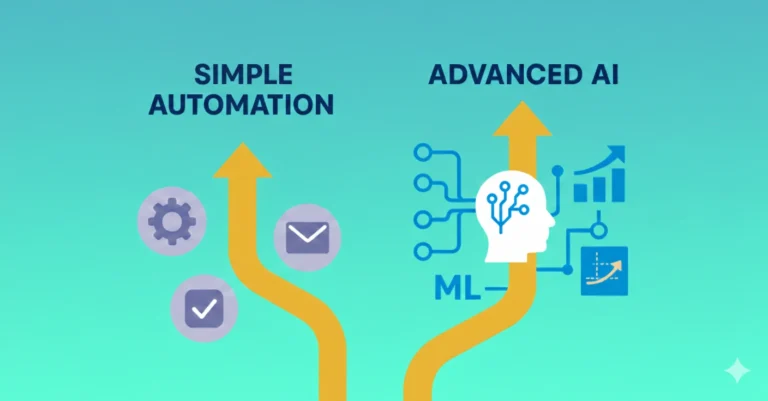
The Weekend vs. Enterprise Comparison
| Aspect | Weekend Bot (48 hours) | Enterprise Bot (2-3 months) |
| Questions handled | 15-25 common FAQs | 100+ complex scenarios |
| Channels | Website + 1-2 platforms | All channels integrated |
| AI sophistication | Template-based responses | Custom NLP training |
| Integration depth | Basic connections | Deep system integration |
| Cost | $0-50/month | $500-5,000+/month |
| Maintenance | 2-4 hours/month | Dedicated team |
The key insight: The weekend bot handles 70% of inquiries at 2% of the cost and time.
Choosing Your No-Code Platform
Multiple platforms let you build customer service chatbots without coding:
Beginner-Friendly Options
ManyChat (Facebook Messenger-focused)
- Best for: Businesses with active Facebook presence
- Learning curve: 2-3 hours
- Cost: Free for basic features, $15/month for growth tools
- Weekend feasibility: Excellent—visual flow builder
Tidio (Website chat + bots)
- Best for: E-commerce and small business websites
- Learning curve: 3-4 hours
- Cost: Free plan available, $29/month for advanced features
- Weekend feasibility: Very good—templates accelerate setup
Chatfuel (Multi-platform)
- Best for: Beginners wanting simplicity
- Learning curve: 2-3 hours
- Cost: Free up to 50 conversations, $15/month after
- Weekend feasibility: Excellent—drag-and-drop interface
Intermediate Options
MobileMonkey (Multi-channel focus)
- Best for: Marketing-focused automations
- Learning curve: 4-6 hours
- Cost: Free basic, $19-99/month for pro features
- Weekend feasibility: Good with focused scope
Landbot (Conversational experience builder)
- Best for: Lead generation and qualification
- Learning curve: 4-5 hours
- Cost: Free limited version, $30/month starter
- Weekend feasibility: Good for simple flows
Intercom (All-in-one customer messaging)
- Best for: SaaS companies with existing Intercom use
- Learning curve: 6-8 hours
- Cost: $74/month minimum
- Weekend feasibility: Moderate—powerful but complex
Platform Comparison: What You Get in 48 Hours
| Platform | Weekend Bot Capability | Setup Time | Best Quick-Win Feature | Limitations for Weekend Build |
| ManyChat | 20 FAQ responses, lead capture, Messenger native | 4-6 hours | Visual flow builder with templates | Limited to Messenger focus |
| Tidio | 15 FAQs, website chat, basic e-commerce | 5-7 hours | E-commerce templates ready to use | Free plan limits conversations |
| Chatfuel | 25 FAQs, multi-platform, broadcasts | 3-5 hours | Pre-built conversation blocks | Less customization depth |
| Landbot | 10-15 flows, beautiful UI, lead gen | 6-8 hours | Stunning conversational design | Pricing jumps quickly |
| MobileMonkey | Multi-channel, 15-20 automations | 5-7 hours | OmniChat™ across platforms | Steeper learning curve |
Your 48-Hour Implementation Timeline
Here’s exactly how to spend your weekend building a working bot:
Saturday Morning (9 AM – 12 PM): Foundation – 3 Hours
Hour 1: Research and Planning
- List your 20 most common customer questions (check email support history)
- Identify which platform fits your primary channel (website, Facebook, etc.)
- Create free account on chosen platform
- Watch 2-3 quick tutorial videos
Hour 2: Platform Setup
- Complete account setup and basic customization
- Connect bot to your website or Facebook page
- Configure basic settings (bot name, welcome message, appearance)
- Test initial connection
Hour 3: First Conversation Flow
- Build your welcome message and main menu
- Create your first 3 FAQ responses
- Add simple conditional logic (if user asks X, respond Y)
- Test the basic flow
Checkpoint: You should have a bot that greets visitors and answers 3 questions.
Saturday Afternoon (1 PM – 5 PM): Building Content – 4 Hours
Hour 4-5: FAQ Responses
- Add 10-12 additional common questions and answers
- Use conversational language (write how you’d speak, not formal text)
- Include helpful links to relevant pages
- Add quick reply buttons for easy navigation
Hour 6: Lead Capture Flow
- Build conversation collecting name and email
- Create form for specific inquiries
- Set up data storage or integration (Google Sheets, email notifications)
- Test data collection
Hour 7: Human Handoff
- Configure escalation triggers (“talk to a human”)
- Set up notification system for complex questions
- Create offline message handling
- Test escalation process
Checkpoint: Bot handles 13-15 FAQs and captures leads.
Saturday Evening (6 PM – 8 PM): Refinement – 2 Hours
Hour 8: Polish and Improve
- Review all conversation flows for clarity
- Add personality to bot responses (friendly but professional)
- Fix any confusing conversation paths
- Add fallback responses for unrecognized questions
Hour 9: Testing
- Test every conversation path
- Have friend or family member interact with bot
- Check mobile experience
- Verify all links work
Checkpoint: Solid foundation ready for Sunday enhancements.
Sunday Morning (9 AM – 12 PM): Advanced Features – 3 Hours
Hour 10: Integration Setup
- Connect to email marketing tool (if needed)
- Set up CRM integration (basic level)
- Configure analytics tracking
- Test data flow
Hour 11-12: Conditional Logic
- Add business hours detection
- Create different flows for different user types
- Implement basic personalization (returning visitors)
- Build branch conversations based on user responses
Checkpoint: Bot is getting smarter and more helpful.
Sunday Afternoon (1 PM – 4 PM): Optimization – 3 Hours
Hour 13: Add Remaining FAQs
- Complete your target 20-25 questions
- Organize responses logically
- Add quick reply buttons for common follow-ups
- Create confirmation messages
Hour 14: Proactive Engagement
- Set up triggered messages (after 30 seconds on page)
- Create exit-intent engagement
- Configure page-specific greetings
- Test trigger timing
Hour 15: Final Testing and Documentation
- Complete end-to-end testing
- Create simple instruction document for team
- Document escalation procedures
- Note areas for future improvement
Checkpoint: Bot is complete and ready for launch.
Sunday Evening (5 PM – 7 PM): Launch and Monitor – 2 Hours
Hour 16: Go Live
- Make bot visible to all website visitors
- Announce on social media if using Messenger
- Monitor initial conversations closely
- Make quick adjustments based on real interactions
Hour 17: Team Briefing
- Train team on receiving escalated conversations
- Show them bot analytics dashboard
- Establish Monday morning review meeting
- Celebrate your weekend achievement!
Total time invested: 17 hours across 48 hours
Real Weekend Bot Success Stories
Case Study 1: Sarah’s Online Boutique
Friday night situation: Sarah runs a small clothing boutique getting 10-15 daily “What are your hours?” and “Do you ship internationally?” messages.
Platform chosen: Tidio (she needed website integration)
Saturday work: 6 hours building 18 FAQ responses covering:
- Store hours and location
- Shipping policies
- Return procedures
- Size guides
- Current promotions
Sunday work: 4 hours adding:
- Order tracking lookup
- Style quiz for product recommendations
- Email collection for abandoned carts
Monday results:
- Bot handled 67% of inquiries immediately
- Collected 12 email addresses from cart abandoners
- Sarah responded to only 5 complex questions vs. usual 15
- Customer satisfaction maintained (no complaints about bot)
Time saved weekly: 8-10 hours (ongoing)
Her reflection: “I was skeptical I could do this myself. The visual builder made it easy—like creating a PowerPoint presentation. My customers love getting instant answers about shipping.”
Case Study 2: TechFix Support Team
Friday challenge: Small IT support company drowning in “How do I reset my password?” tickets
Platform chosen: ManyChat (customers already engaged via Facebook)
Saturday build (7 hours):
- 15 common troubleshooting guides
- Step-by-step password reset flow
- Business hours checker
- Ticket creation for complex issues
Sunday additions (5 hours):
- Screenshot upload capability
- Priority routing based on issue severity
- FAQ search functionality
Week one impact:
- Support tickets reduced 58%
- Average response time: 2 minutes (vs. 4 hours previously)
- Customer satisfaction up 23%
- Team focused on complex issues only
ROI: 12 hours invested saved 25+ hours in first week alone.
Templates and Quick-Start Responses
Essential FAQ Categories to Build
Business Information (Build these first):
- Hours of operation
- Location and directions
- Contact information
- Services/products overview
- Pricing information
Customer Service (High impact):
- Return/refund policy
- Shipping information
- Order tracking
- Account issues
- Payment methods
Sales Support (Revenue generating):
- Product recommendations
- Availability checks
- Comparison guides
- Promotion details
- Bulk order inquiries
Sample Conversation Templates
Welcome message: “Hi there! 👋 I’m the [Company Name] assistant. I can help you with:
- Store hours and location
- Shipping and returns
- Order tracking
- Product questions
What can I help you with today?”
FAQ Response Pattern: “Great question about [topic]! Here’s what you need to know:
[Clear, concise answer]
[Relevant link if applicable]
Does this answer your question? [Yes] [No, I need more help]”
Human Escalation: “I want to make sure you get the best help! Let me connect you with our team.
Please share your:
- Name
- Brief description of your question
Someone will respond within [timeframe].”
Common Weekend Bot Mistakes (and How to Avoid Them)
Mistake 1: Building Too Complex Too Fast
Problem: Trying to handle every possible scenario in 48 hours
Result: Incomplete bot with confusing conversation paths
Solution: Start with 15-20 most common questions. Add complexity later.
Mistake 2: Robotic, Corporate Language
Problem: Responses sound stiff and formal: “Greetings. How may I assist you today?”
Result: Poor user experience, high abandonment
Solution: Write like you talk. Be friendly, use emojis sparingly, stay conversational.
Mistake 3: No Clear Escape Route
Problem: Users can’t easily reach a human when bot can’t help
Result: Frustration, negative reviews, lost customers
Solution: Always offer “Talk to a human” option prominently.
Mistake 4: Forgetting Mobile Testing
Problem: Bot looks great on desktop but broken on phones
Result: 60%+ of users have poor experience
Solution: Test thoroughly on smartphone before launch.
Mistake 5: Not Setting Expectations
Problem: Visitors don’t know they’re chatting with a bot
Result: Disappointment when they discover automation
Solution: Clear bot introduction: “I’m the automated assistant, here to help quickly!”
Weekend Bot vs. Custom Development
| Factor | Weekend No-Code Bot | Custom Coded Bot |
| Time to launch | 48 hours | 8-16 weeks |
| Development cost | $0-50 | $10,000-50,000 |
| Coding required | None | Extensive |
| Customization level | Template-based (95% of needs) | Unlimited |
| Maintenance | Platform handles updates | Ongoing development needed |
| Scalability | Grows with platform | Requires architecture planning |
| Risk | Low (can pivot quickly) | High (sunk costs if wrong approach) |
| Best for | Immediate needs, testing concept | Unique requirements, enterprise scale |
Verdict: Start with no-code weekend bot. Upgrade to custom only after proving value and identifying specific limitations.
Measuring Your Weekend Bot’s Success
Week One Metrics to Track
Volume metrics:
- Total conversations initiated
- Questions successfully answered by bot
- Escalations to human agents
- Conversations during vs. outside business hours
Quality metrics:
- Average conversation rating (if enabled)
- Escalation rate (lower is better)
- Completion rate (users who got satisfactory answer)
- Response accuracy (track wrong answers)
Business impact metrics:
- Support tickets reduced
- Response time improvement
- Lead capture rate
- Sales influenced by bot
Success Benchmarks for Weekend Bots
Good performance:
- 60-70% of routine inquiries handled without escalation
- Less than 10% conversation abandonment
- Positive user feedback
- Measurable time savings for human team
Excellent performance:
- 75-85% automation rate
- High user satisfaction (4+ stars)
- Significant lead generation
- Noticeable reduction in support costs
Needs improvement:
- Below 50% automation
- High abandonment or frustration signals
- Frequent “I don’t understand” responses
- No measurable business impact
What Happens Monday Morning
Launch Day Checklist
Before 9 AM:
- ✓ Bot is live and responding correctly
- ✓ Team knows how to handle escalated conversations
- ✓ Analytics dashboard accessible
- ✓ Quick reference guide distributed
- ✓ Backup contact method available
During first day:
- Monitor all conversations closely
- Take notes on unexpected questions
- Fix any broken flows immediately
- Gather team feedback
- Adjust based on real user behavior
End of day review:
- Analyze conversation data
- Identify gaps in FAQ coverage
- Note technical issues
- Celebrate wins (even small ones)
- Plan quick improvements for week ahead
Continuous Improvement Plan
Week 1: Fix obvious issues, add missing FAQs
Week 2: Refine conversation flows based on data
Week 3: Add one new channel or integration
Month 2: Implement basic personalization
Month 3: Analyze and optimize conversion paths
Ongoing: Add 2-3 new capabilities monthly based on actual needs
Advanced Weekend Strategies
Multi-Platform Approach
If you have extra time Sunday:
- Deploy same bot logic to Facebook Messenger
- Add WhatsApp Business integration
- Create SMS-based version
- Embed in mobile app
Time required: Additional 2-3 hours per platform
Smart Escalation Logic
Beyond simple “talk to human” button:
- Detect frustration in user messages
- Auto-escalate after 3 “I don’t understand” responses
- Route specific topics to specialized team members
- Priority flagging based on keywords
Implementation time: 1-2 hours Sunday afternoon
Personality Development
Make your bot memorable:
- Create consistent voice and tone
- Add appropriate emoji usage
- Include light humor when suitable
- Use GIFs for common responses
- Develop catchphrases or signature sign-offs
Time investment: 30-60 minutes tweaking responses
Tools and Resources for Your Weekend Build
Essential Preparation
Before starting, gather:
- Your 20 most common customer questions (from email/support tickets)
- Existing FAQ content from website
- Brand voice guidelines
- Website access credentials
- Team member contact information for escalations
Helpful Resources
Tutorial platforms:
- YouTube: Platform-specific build tutorials
- Platform documentation: Step-by-step guides
- Online communities: Facebook groups, Reddit forums
Testing tools:
- Multiple browsers for compatibility testing
- Friends/family for user testing
- Mobile devices for responsive testing
Monitoring tools:
- Google Analytics for tracking bot interactions
- Platform native analytics
- Customer feedback surveys
Is a Weekend Bot Right for Your Business?
Best Suited For:
✓ Small to medium businesses with 50-500 daily website visitors
✓ Companies with clear, common questions (e-commerce, service businesses, local shops)
✓ Teams overwhelmed by routine inquiries eating up productive time
✓ Businesses wanting to test chatbot viability before major investment
✓ Organizations needing 24/7 presence without hiring staff
Not Ideal For:
✗ Complex B2B sales requiring deep relationship building
✗ Highly regulated industries with strict compliance requirements (without legal review)
✗ Businesses with no recurring questions (every inquiry is unique)
✗ Companies unable to commit to post-launch monitoring and improvement
Conclusion: Your Weekend Bot Awaits
So, can you really build a customer service chatbot in one weekend?
Absolutely yes—if you:
- Set realistic scope (15-25 FAQs, not 100 complex scenarios)
- Choose the right no-code platform for your needs
- Follow a focused 48-hour implementation plan
- Commit to post-launch iteration and improvement
Your weekend bot won’t be perfect. It won’t handle every possible scenario. But it will:
- Instantly answer 60-70% of routine questions
- Capture leads while you sleep
- Free your team to focus on complex, high-value work
- Provide 24/7 customer engagement
- Cost a fraction of hiring additional support staff
The bigger question isn’t “Can I build it in a weekend?” It’s “Can I afford another week without one?”
Your Weekend Build Starts Now
Friday evening (tonight):
- Read this article completely (✓ you’re here!)
- List your 20 most common customer questions
- Choose your platform (Tidio for websites, ManyChat for Facebook)
- Create free account and watch one tutorial video
Saturday: Follow the hour-by-hour plan above. Block out distractions. Focus on building, not perfecting.
Sunday: Refine, test, and launch. By 7 PM Sunday, you’ll have a working bot.
Monday morning: Watch your bot handle inquiries while you handle your coffee. Then tackle the conversations that actually need a human touch.
Ready to turn your weekend into a customer service revolution? The platforms are free to start. The tutorials are waiting. The only question is: will you start this Saturday, or will you still be manually answering “What are your hours?” three months from now?
Your customers are online right now, wondering if anyone’s available to help. By Sunday evening, your bot will make sure the answer is always “Yes.”
Block your calendar. This weekend, you’re building a bot.
Additional Resources: