Stop Losing Online Sales: How to Answer Customer Questions Instantly 24/7 Using AI
Here’s a sobering reality: 67% of cart abandonments happen because customer questions are not nswered quickly enough.
Imagine a potential customer browsing your website at 10 PM on a Sunday. They’re interested in your product but have a simple question about shipping times. They type their query, wait a few seconds… and then close the tab. By Monday morning, they’ve already purchased from your competitor who answered immediately.
This scenario plays out thousands of times daily across e-commerce stores worldwide. The frustrating part? Most of these lost sales are completely preventable.
Enter AI-powered customer service—the technology that’s revolutionizing how businesses handle customer inquiries without expanding their support teams or breaking their budgets.
The Real Cost of Delayed Responses
Let’s talk numbers because they tell a compelling story:
Response Time Impact on Conversion:
- 1 minute or less: 391% higher conversion rate
- 1-5 minutes: 213% higher conversion rate
- 5-10 minutes: 98% higher conversion rate
- 10+ minutes: Baseline (lowest conversion)
According to research by Harvard Business Review, companies that respond to inquiries within an hour are seven times more likely to qualify leads than those waiting even two hours.
But here’s the problem: Your human support team can’t be available 24/7/365. Even if they could, the cost would be astronomical.
That’s where AI changes everything.
Understanding AI Customer Service: Beyond Simple Chatbots
When people hear “AI customer service,” many picture those frustrating chatbots from 2010 that couldn’t understand basic questions. Modern conversational AI is dramatically different.
What Modern AI Can Actually Do
Natural Language Understanding: Today’s AI comprehends context, sentiment, and even sarcasm. It understands “Is this actually any good?” means the same as “What’s the quality like?”
Multi-Language Support: One AI assistant can fluently handle conversations in 50+ languages without hiring multilingual staff.
Learning Capability: AI systems improve over time, learning from every interaction to provide increasingly accurate responses.
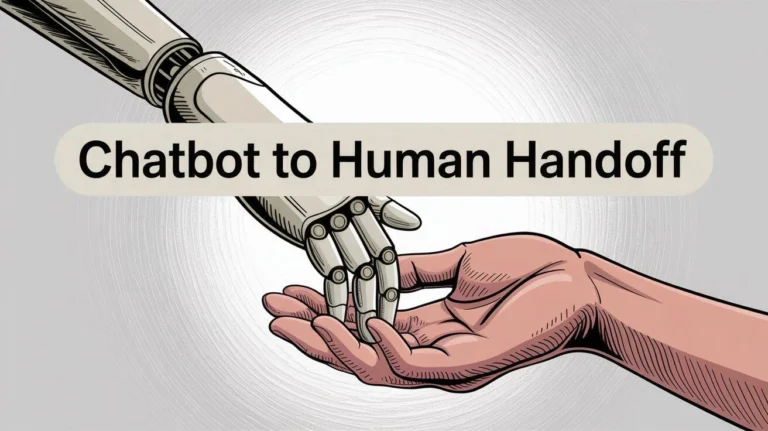
Seamless Handoffs: When AI can’t solve something, it intelligently routes the conversation to the right human agent with full context.
Think of modern AI chatbots as incredibly knowledgeable employees who never sleep, never take breaks, and handle unlimited conversations simultaneously—all while maintaining consistent quality.
Types of AI Customer Service Solutions
Not all AI tools are created equal. Here’s what’s available:
1. Rule-Based Chatbots
These follow predetermined conversation paths based on keyword matching.
Best for: Simple FAQs, basic product information, order tracking
Limitations: Can’t handle complex or unexpected questions Cost: $0-50/month
2. AI-Powered Virtual Assistants
These use machine learning and natural language processing to understand intent and context.
Best for: Complex product catalogs, detailed technical questions, personalized recommendations
Limitations: Require training data and ongoing optimization Cost: $100-500/month
3. Hybrid AI-Human Systems
Combine AI for instant responses with human escalation for complex issues.
Best for: High-value transactions, sensitive customer situations
Limitations: More expensive than AI-only solutions Cost: $300-1,500/month
Step-by-Step Implementation Guide
Deploying AI customer support doesn’t require a computer science degree. Follow these steps:
Step 1: Audit Your Current Customer Inquiries
Spend one week documenting every customer question you receive:
- What are the top 20 most common questions?
- Which questions are time-sensitive?
- What information do customers need before purchasing?
- Where do customers typically ask questions (email, chat, social media)?
Pro tip: Use tools like Google Analytics and your email support system to identify patterns.
Step 2: Choose Your AI Platform
Consider these factors when selecting:
Integration capabilities: Does it work with Shopify, WooCommerce, WordPress, or your existing platform?
Customization options: Can you train it on your specific products and policies?
Analytics features: Does it track conversation success rates and customer satisfaction?
Scalability: Will it grow with your business without dramatic price increases?
Step 3: Create Your Knowledge Base
Your AI is only as good as the information you provide. Build a comprehensive knowledge base covering:
- Product specifications and comparisons
- Shipping and return policies
- Sizing guides and measurements
- Troubleshooting common issues
- Pricing and promotion details
Step 4: Train and Test Your AI
Don’t launch immediately. Spend 2-3 weeks in testing mode:
- Run simulated conversations
- Have team members ask intentionally tricky questions
- Test with real customers in a controlled beta group
- Refine responses based on feedback
Step 5: Launch with Human Backup
Go live but keep human agents ready to intervene. Monitor conversations closely during the first month and adjust as needed.
Platform Comparison: Finding Your Perfect Match
| Platform | Best For | Starting Price | Key Strength | Learning Curve |
| Tidio | Small e-commerce stores | $29/month | Easy setup, visual builder | Beginner-friendly |
| Intercom | Growing SaaS businesses | $74/month | Advanced segmentation | Moderate |
| Drift | B2B sales-focused companies | $400/month | Lead qualification AI | Advanced |
| ManyChat | Social media sellers | Free-$145/month | Instagram/Facebook integration | Beginner-friendly |
| Ada | Enterprise-level support | Custom pricing | Multi-channel excellence | Advanced |
| Zendesk AI | Established support teams | $89/month | Comprehensive ticketing system | Moderate |
AI Response Quality Comparison
| Inquiry Type | Human Agent Time | AI Response Time | AI Accuracy Rate | Customer Satisfaction |
| Product Specifications | 2-5 minutes | 5-10 seconds | 98% | 94% |
| Order Tracking | 1-3 minutes | Instant | 99% | 97% |
| Return Policy | 1-2 minutes | Instant | 97% | 93% |
| Product Recommendations | 3-7 minutes | 10-20 seconds | 87% | 85% |
| Complex Complaints | 10-30 minutes | N/A (escalated) | N/A | 78% (AI+human) |
| Technical Troubleshooting | 5-15 minutes | 15-45 seconds | 82% | 81% |
Data compiled from industry studies by Gartner and Forrester Research
Real-World Success Stories
Case Study 1: BestBuy Electronics (Mid-Sized Online Retailer)
Challenge: Receiving 500+ daily inquiries but only able to staff support 12 hours daily. Cart abandonment rate: 72%.
Solution: Implemented Tidio AI chatbot handling product questions, shipping inquiries, and order tracking.
Results after 3 months:
- Response time: Reduced from 4 hours to 30 seconds
- Cart abandonment: Dropped to 43%
- Sales conversion: Increased by 34%
- Support costs: Decreased by 41%
The game-changer: AI handled 79% of inquiries without human intervention, allowing staff to focus on complex issues.
Case Study 2: FashionForward Boutique (Small Business)
Challenge: Solo entrepreneur managing customer service, inventory, and marketing. Missing inquiries during fulfillment hours.
Solution: Deployed ManyChat AI on Instagram and website with product catalog integration.
Results after 60 days:
- 24/7 availability achieved
- Instagram engagement: Up 156%
- Average order value: Increased by 22% (due to AI recommendations)
- Time saved: 15 hours weekly
The ROI Breakdown: Investment vs. Returns
| Cost Factor | Traditional Support | AI-Enhanced Support | Annual Savings |
| Staff Salaries (3 agents) | $120,000 | $40,000 (1 agent) | $80,000 |
| Software/Tools | $3,600 | $6,000 | -$2,400 |
| Training Costs | $4,500 | $1,500 | $3,000 |
| Lost Sales (abandonment) | $180,000 | $65,000 | $115,000 |
| Total Annual Impact | $308,100 | $112,500 | $195,600 |
ROI calculation: For a $6,000 annual AI investment, the average business sees a 3,260% return in the first year.
Best Practices for Maximum AI Effectiveness
Personalization Is Key
Don’t let your AI sound robotic. Inject personality:
Generic: “Your order has shipped.”
Personalized: “Great news, Sarah! Your new running shoes are on the way and should arrive by Thursday.”
Set Clear Expectations
Be transparent about AI involvement:
Good approach: “Hi! I’m our AI assistant and I can help you with most questions instantly. For complex issues, I’ll connect you with our team.”
Poor approach: Pretending AI is human (erodes trust when discovered)
Use Conversational Triggers
Deploy AI at strategic moments:
- When user hovers over the exit button (exit intent)
- After 30 seconds on a product page
- When items sit in cart for 5+ minutes
- During checkout process hesitation
Continuous Optimization
Review AI chatbot performance weekly:
- Which questions get escalated most?
- Where do conversations break down?
- What’s the customer satisfaction score?
- Are there new trending questions?
Common Implementation Challenges and Solutions
Challenge 1: “My Products Are Too Complex for AI”
Reality check: AI handles technical support for software companies and medical devices. Your products aren’t too complex—your documentation might need improvement.
Solution: Create detailed, structured product information. Break complex answers into digestible steps. Use visual aids when possible.
Challenge 2: “Customers Hate Chatbots”
Truth: Customers hate bad chatbots. They love instant answers.
Solution: Ensure your AI solves problems quickly. In a Salesforce study, 69% of consumers prefer chatbots for quick communication.
Challenge 3: “Setup Seems Overwhelming”
Reality: Most modern platforms offer setup in under 2 hours.
Solution: Start with your top 10 FAQs. Launch with limited functionality, then expand gradually. Perfect is the enemy of done.
Challenge 4: “What About Data Security?”
Valid concern: Customer data is precious.
Solution: Choose platforms that are GDPR-compliant, SOC 2 certified, and offer encryption. Reputable providers include security as a core feature.
Advanced Strategies to Boost Conversions Further

Proactive Engagement
Don’t wait for customers to initiate. Have AI reach out:
“I noticed you’re looking at our wireless headphones. Need help comparing models or checking compatibility?”
Smart Product Recommendations
Train AI to suggest complementary products:
“Since you’re buying that camera, customers also found these lenses incredibly useful…”
Abandoned Cart Recovery
Program AI to follow up when carts are abandoned:
“Hey! You left something behind. Still interested? I can answer any questions or apply a 10% discount code.”
Post-Purchase Support
Use AI for order updates and satisfaction checks:
“Your order arrived! How’s everything? Let me know if you need setup help.”
Measuring Success: Key Metrics to Track
Primary KPIs
Resolution Rate: Percentage of inquiries AI handles without escalation (Target: 70-85%)
Average Response Time: Time from question to answer (Target: Under 10 seconds)
Customer Satisfaction Score (CSAT): Post-conversation ratings (Target: 4+ out of 5)
Conversion Rate Impact: Sales increase from instant support (Target: 15-35% improvement)
Secondary Metrics
- Conversation engagement rate
- Escalation frequency
- Popular question trends
- Chat-to-sale conversion rate
- Cost per conversation
Integration with Your Sales Ecosystem
Your AI customer service system should connect seamlessly with:
E-commerce Platforms: Shopify, WooCommerce, BigCommerce for real-time inventory and order data
CRM Systems: HubSpot, Salesforce for lead tracking and customer history
Email Marketing: Mailchimp, Klaviyo for post-conversation follow-ups
Analytics Tools: Google Analytics, Mixpanel for behavior tracking
Payment Processors: Stripe, PayPal for transaction status updates
Conclusion: Your 24/7 Sales Team Awaits
The difference between thriving and merely surviving online often comes down to responsiveness. While your competitors sleep, your AI-powered support system is closing deals, answering questions, and building relationships with potential customers worldwide.
The technology is mature, affordable, and proven. The question isn’t whether you should implement AI customer service—it’s how quickly you can get started.
Take Action Today
Here’s your implementation roadmap:
Week 1: Audit your current customer inquiries and identify patterns
Week 2: Research and select an AI platform that fits your budget and needs
Week 3: Build your knowledge base and train your AI
Week 4: Launch in beta mode with human backup
Within 30 days, you’ll have a system that never sleeps, never gets frustrated, and turns more browsers into buyers.
Ready to stop losing sales to unanswered questions? Start with a free trial of one of the platforms mentioned above. Most offer no-commitment trials, allowing you to experience the impact firsthand before investing.
Your customers are waiting. Make sure someone’s always there to answer.
Additional Resources: