How Small Businesses Can Deploy AI Chatbots Without Coding Skills or Technical Expertise
Your phone rings constantly. Your inbox overflows with the same five questions asked 47 different ways. Your team drowns in customer service requests while revenue-generating work sits untouched. Sound familiar?
Not long ago, artificial intelligence sounded like something reserved for big corporations with six-figure budgets and teams of developers. The world of complex algorithms and technical expertise felt completely out of reach for small business owners.
But the landscape has shifted dramatically. According to a U.S. Chamber of Commerce Report, over 60% of small businesses report using artificial intelligence for their operations, more than double the number from just two years ago. This explosive growth isn’t happening because small businesses suddenly hired armies of programmers—it’s happening because AI has become genuinely accessible.
Modern no-code AI platforms now let anyone build powerful chatbots using visual interfaces, drag-and-drop builders, and plain English instructions instead of programming languages. You don’t need a computer science degree or coding skills, just curiosity and a willingness to explore.
Small businesses successfully implement comprehensive AI chatbot systems in 2-4 weeks using only point-and-click configuration. These affordable solutions handle everything from 24/7 customer support to lead qualification, typically costing $100-$500 monthly rather than the $10,000-$50,000 developers once charged.
The question is no longer whether small businesses can afford AI chatbots. The real question is whether you can afford to keep operating without them while competitors automate their customer service, capture leads instantly, and scale operations without adding headcount.
Quick answer to the question “How long does it take to create an AI chatbot without coding?”
Answer: 2-4 hours for basic chatbots, 1-2 weeks for complex implementations.
Is AI Really Worth the Hype for Small Businesses?
Weekly predictions about AI replacing workers and billion-dollar investments create both excitement and skepticism among business owners struggling to separate reality from marketing hype.
The truth lies between extremes. AI will transform business operations gradually, not overnight. This disconnect has led many entrepreneurs to dismiss artificial intelligence as another passing trend.
Yet something tangible is emerging. Beyond frivolous applications, AI delivers genuine business value through practical implementation. Small businesses can now deploy tools that meaningfully improve productivity and team efficiency.
HubSpot research reveals 82% of consumers highly value fast responses when contacting businesses. Unlike previous technology waves benefiting large corporations first, AI democratizes advanced capabilities immediately for sole proprietors.
Useful AI focuses on measurable results: customer service automation, content creation, data analysis, and lead qualification deliver returns today. Small businesses implementing AI chatbots handle 80% of routine customer questions automatically, reducing support costs up to 90% while maintaining high satisfaction.
The practical question isn’t whether AI lives up to headlines—it’s whether specific AI tools solve actual problems your business faces now. This pragmatic approach reveals genuinely useful applications worth modest investment.
Why No-Code AI Chatbots Are Now Accessible to Small Businesses?
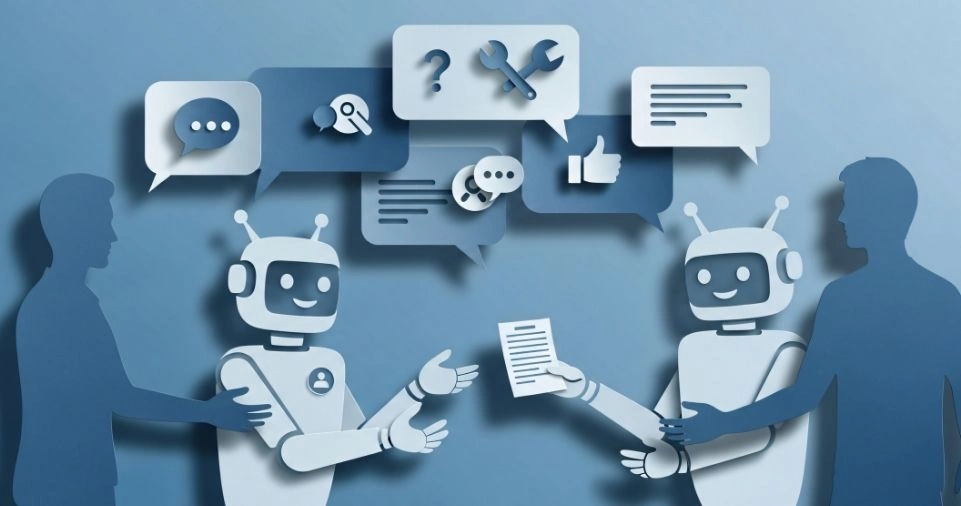
Building a functional chatbot four years ago meant hiring specialized developers, investing $1,000-$50,000 upfront, spending months in development cycles, and praying the final product actually worked when launched. Small businesses simply couldn’t justify that kind of financial risk or time commitment for uncertain returns.
Today’s no-code platforms put chatbot creation within reach of any business owner who can use basic computer software. The same automation that once required programming expertise now operates through simple visual interfaces where you click buttons, fill forms, and describe what you want in everyday language.
Small businesses across industries currently run chatbots that answer questions, book appointments, qualify leads, and close sales automatically while owners sleep. These aren’t Fortune 500 companies with IT departments, they’re local service providers, online retailers, consultants, and agencies that recognized the competitive advantage of instant customer engagement.
The technology democratization happened faster than most people realize. Platforms like Tidio, ChatGPT, and specialized chatbot builders evolved from clunky rule-based systems into genuinely intelligent assistants that understand context, handle complex queries, and learn from interactions. What changed wasn’t just the underlying AI models getting smarter, it was the entire deployment process becoming radically simplified.
What is Typical Implementation Timeline for Chatbot Creation Today?
Chatbot Creation Timeline 4 Years Ago
Consider the typical implementation timeline now versus four years ago. Custom development required gathering requirements for 2-4 weeks, development sprints lasting 8-16 weeks for a minimum viable product, testing and bug fixing consuming another 4-8 weeks, plus deployment and training adding 2-4 weeks more.
Total timeline: 4-8 months minimum before seeing any results.
Chatbot Creation Timeline Today
Modern no-code implementation looks completely different. You spend 1 week planning and selecting tools, 1-2 weeks on configuration and setup, 1-2 weeks testing and refinement, and 1 week on team training.
Total timeline: 4-8 weeks from decision to working system, delivering results 4-6 times faster than custom development.
What is the Cost Comparison Between Chatbot Creation 4 Years Ago and Now?
The cost transformation is equally dramatic. Where businesses once paid developer salaries of $80,000-$150,000 annually plus benefits, project management overhead consuming 20% of development time, ongoing maintenance requiring continued developer hours, and technical debt necessitating periodic rewrites, they now subscribe to platforms for $100-$500 monthly with no long-term commitments.
Real estate agencies book 40% more appointments using AI voice agents. E-commerce stores reduce customer service costs by 60% with chatbots handling order status inquiries. Marketing consultants save 15 hours weekly using AI for content creation. These measurable results come from tools anyone can implement without writing a single line of code.
The fundamental shift isn’t just about technology becoming more capable. It’s about removing the technical barriers that previously made AI chatbots practical only for enterprises with dedicated IT budgets. When implementation moves from months to weeks, costs drop from tens of thousands to hundreds monthly, and control shifts from developers to business owners, the entire equation changes.
4 Types of AI Chatbots for Small Business Customer Service
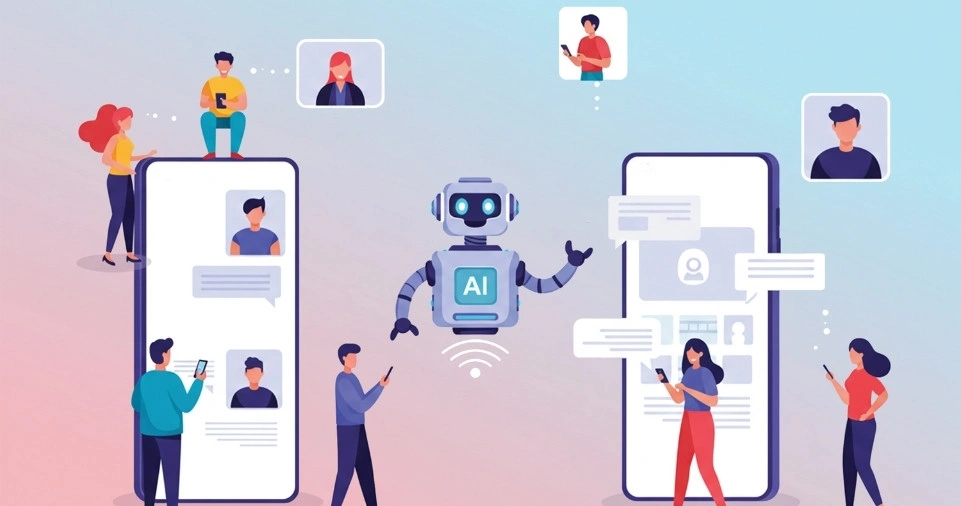
Understanding the main chatbot categories helps small businesses select the right solution for their specific needs and customer service requirements. Each type offers distinct advantages, limitations, and ideal use cases depending on your business complexity and growth plans.
Menu-Based Chatbots: Best for Simple FAQ Automation
Menu-based chatbots present users with predefined options and button choices rather than accepting free-form text input. Think of them as interactive decision trees where each response leads to another set of predetermined options until the conversation reaches a resolution or transfers to human support.
These chatbots excel at handling straightforward, repetitive queries where customers need basic information quickly. A menu-based bot might ask “What can I help you with today?” and offer buttons for “Track my order,” “Return an item,” “Store locations,” or “Contact support.” Each selection branches into more specific options until the customer finds their answer.
| Advantages | Disadvantages |
| Simple for both businesses and customers | Limited to predefined categories/data |
| Implementation takes minimal time | Users may feel frustrated clicking through multiple menus |
| Clarity of defined options | Rigid structure can’t adapt to unexpected queries |
| Perfect for FAQs, order tracking, appointment scheduling | Cannot understand conversational context |
| Handles straightforward, repetitive queries efficiently | No flexibility beyond preset options |
Rule-Based Chatbots: Automated Customer Support Using If-Then Logic
Rule-based chatbots operate on if-then logic statements that trigger specific responses based on keywords or phrases detected in user messages. These bots follow programmed rules you define, such as “if user message contains ‘refund,’ then display refund policy and ask for order number.”
This approach offers more flexibility than menu systems while maintaining predictable behavior. You control exactly how the chatbot responds to specific inputs, creating guided conversations that still feel more natural than clicking buttons. Rule-based systems work well for businesses with clearly defined processes and common customer inquiries that follow patterns.
| Advantages | Disadvantages |
| More flexibility than menu systems | Requires manually programming each new scenario |
| Maintains predictable behavior | Customers with unexpected phrasing receive irrelevant responses |
| Full control over specific responses | Lacks true understanding of language nuance |
| Creates guided conversations that feel natural | Cannot comprehend context or user intent beyond keywords |
| Works well for clearly defined processes | Maintenance becomes complex as rule sets grow |
| Can chain multiple rules for sophisticated flows |
AI-Powered Chatbots: Natural Language Processing for Complex Queries
AI-powered chatbots leverage natural language processing and machine learning to understand user intent, context, and meaning rather than simply matching keywords to programmed responses. These intelligent systems comprehend what customers actually want even when they phrase questions in countless different ways.
The power of AI chatbots shows up in their ability to handle complex, personalized queries that would completely stump menu-based or rule-based systems. When a customer asks “Do you have anything like that blue dress I ordered last month but in a different color?” an AI chatbot can understand the reference to previous purchases, recognize the intent to find similar items, and provide relevant product recommendations.
| Advantages | Disadvantages |
| Understands user intent, context, and meaning | Requires sufficient training data |
| Handles complex, personalized queries | Needs careful monitoring, especially early on |
| Learns from every interaction and improves over time | Can occasionally produce unexpected outputs |
| Understands context from previous messages | Requires human oversight to catch misunderstandings |
| Detects customer sentiment and adjusts tone | May give inappropriate responses without proper supervision |
| Handles unique questions without manual programming | |
| Recognizes when to escalate to humans |
Hybrid Chatbots: Combining Automation with AI Intelligence for Small Businesses
Hybrid chatbots combine the best elements of rule-based structure with AI-powered intelligence, creating systems that offer both predictability and flexibility. These platforms use rules for common, straightforward interactions while deploying AI capabilities for more complex or unusual queries that require deeper understanding.
A hybrid approach might use menu options or rule-based flows for frequent requests like checking order status, finding store hours, or initiating returns. When customers ask something unexpected or need personalized assistance, the AI component activates to interpret the question and provide an intelligent response based on its training.
This balanced architecture proves ideal for small businesses wanting automation’s efficiency without sacrificing the human-like interaction quality that builds customer trust.
| Advantages | Disadvantages |
| Combines predictability and flexibility | More complex to set up than single-method chatbots |
| Uses rules for common interactions, AI for complex queries | Requires understanding both rule-based and AI systems |
| Cost-effective (handles 80% automatically) | May need more initial configuration time |
| Maintains human-like interaction quality | Requires balancing when to use rules vs. AI |
| Excellent for gradual implementation and testing | |
| Reduces risk through incremental approach | |
| Ideal for small businesses entering automation | |
| Available through no-code platforms |
Why Small Businesses Should Care About AI Chatbot Automation

Every resource matters intensely when running a small business. Time, money, and energy exist in finite supply, forcing constant trade-offs. That scarcity ma kes AI particularly valuable for entrepreneurs seeking to maximize impact with limited resources.
AI Saves Money: Reduce Customer Service Costs by 90%
Running a small business requires constant balancing where every dollar needs justification. You constantly search for ways to accomplish more with less while maintaining quality standards.
The Small Business & Entrepreneurship Council estimates that small businesses now save approximately $273.5 billion annually through AI-powered automation. These savings come from replacing costly, repetitive tasks with efficient, automated systems.
According to a 2023 small business Ai adoption survey, 75% of small businesses are utilizing AI tools for an expansive range of business functions.
Consider customer service costs. A single customer service representative handling basic inquiries might cost $35,000-$45,000 annually. An AI chatbot handling 60-80% of those routine queries costs $100-$500 monthly, roughly $1,200-$6,000 yearly.
Beyond direct labor savings, AI reduces costs through improved efficiency. Automated lead qualification prevents wasting time on unqualified prospects. Smart inventory management avoids costly overstock or stockouts. AI-powered analytics identify unprofitable products or marketing channels before they drain resources.
Small businesses implementing AI chatbots report reducing support costs by up to 90% while maintaining or improving customer satisfaction scores.
AI Saves Time: Reclaim 15+ Hours Weekly from Repetitive Tasks
According to QuickBooks research, more than 60% of small businesses identify time savings as the biggest benefit of using AI tools. The technology excels at taking over repetitive, time-consuming tasks that don’t directly generate revenue.
Tasks that previously required half a day now complete in minutes—writing product descriptions, creating social media content, generating email responses, scheduling appointments, and producing reports.
A marketing consultant reported spending 15 hours weekly on content creation before implementing ChatGPT. That time dropped to 3 hours weekly. The freed 12 hours allowed taking on three additional clients at $1,500 monthly each, generating $4,500 in new revenue for a $20 monthly tool subscription.
Real estate agencies using AI voice agents report answering 90% of inquiries immediately versus 40% previously. Those missed calls represented lost opportunities and revenue.
AI operates 24/7 without breaks, vacations, or sick days. Your chatbot provides instant support at 11 PM on Sunday just as effectively as 10 AM on Tuesday.
Most importantly, AI returns your most valuable time—hours you should spend on strategy, relationship building, creative thinking, and business development rather than repetitive administrative tasks.
AI Helps You Make Smarter Decisions with Data Analytics
Beyond saving time and money, AI delivers clarity and confidence in decision-making. Running a business often means choosing between options with limited information, relying on gut instinct rather than data-driven insights.
AI democratizes access to analytical capabilities. Modern AI-powered analytics tools uncover patterns, trends, and insights previously invisible without specialized expertise. You can identify which products perform best, predict seasonal buying patterns, understand which marketing campaigns drive paying customers, or spot inventory problems.
The American Express Small Business Study found that over 91% of small business owners report AI helps them make more confident decisions. That confidence transforms how you operate, turning uncertainty into strategy and replacing guesswork with actionable insights.
For example, an AI system might reveal that customers who purchase product A within 30 days have 70% higher lifetime value. Armed with that insight, you can create targeted campaigns encouraging new customers to try product A.
AI helps answer critical questions: Which customers are most likely to churn? What price points maximize revenue? Which marketing channels deliver the best return on investment? These aren’t guesses anymore—they’re data-informed decisions.
Small businesses competing against larger competitors gain significant advantage by making smarter decisions faster based on better information.
What Does No-Code AI Mean for Small Business Owners?
No-code AI represents using artificial intelligence capabilities through visual interfaces and simple configuration rather than writing programming code. Instead of learning Python, understanding machine learning algorithms, or managing complex technical infrastructure, you accomplish the same results by clicking buttons, filling forms, selecting options from menus, and describing what you want in plain English.
The fundamental shift involves moving AI implementation from technical domain to business domain. Previously, deploying AI required developers who could write code in languages like Python, understand machine learning algorithms and frameworks, manage data structures and API integrations, debug technical errors when things broke, and maintain complex codebases as requirements changed.
No-code AI platforms handle all that technical complexity behind the scenes while presenting simple, intuitive interfaces that anyone comfortable with basic computer use can navigate successfully. You focus on the business logic, what problem you’re solving, what data the AI should learn from, what actions it should take, and how it should respond to different situations.
How No-Code AI Differs from Traditional Programming and Custom Development?
The contrast between no-code AI implementation and traditional programming involves fundamentally different approaches to achieving similar results. Understanding these differences helps appreciate why no-code has transformed AI accessibility for small businesses.
Traditional AI development follows a highly technical path. Developers write code in programming languages, typically Python for AI applications. They need to understand machine learning concepts like supervised learning, neural networks, training data requirements, and model optimization. The process involves writing hundreds or thousands of lines of code to connect different components, handle data processing, implement business logic, and create user interfaces.
When something breaks or behaves unexpectedly, developers must debug by reading error logs, tracing through code execution, identifying where logic fails, and making precise corrections to programming syntax. Every change requires understanding how modifying one part of the codebase might affect other components. Maintaining these systems means continuously updating code as underlying technologies evolve, fixing security vulnerabilities, and ensuring compatibility with other systems.
No-code AI replaces all of this with visual interfaces and configuration. You build workflows by dragging elements onto a canvas and connecting them with lines showing how information flows.
The functionality delivered is similar between traditional and no-code approaches. Both can create intelligent chatbots, automate workflows, analyze data, and generate content. The difference lies entirely in how you accomplish those goals, whether through programming code or visual configuration accessible to anyone comfortable with basic software.
For small businesses, this distinction proves crucial. No-code AI means implementation requires days or weeks instead of months, costs hundreds monthly instead of tens of thousands, and business owners can make changes themselves rather than waiting for developer availability. You get 80-90% of custom development functionality at 5-10% of the cost and complexity.
How to Start Using AI Chatbots (Even If You’re Not Tech-Savvy)

Getting started with AI chatbots doesn’t require technical expertise or programming knowledge. The most successful small business implementations often come from owners who once described themselves as “not tech-savvy” but stayed curious and willing to learn. The barrier is psychological rather than technical, modern tools genuinely are designed for business users.
Take It One Step at a Time: Identify Your First Automation Target
The best approach to implementing AI involves focusing on one specific challenge rather than trying to automate everything simultaneously. Look at your business operations and identify that single task draining your time or energy every week, the repetitive activity that prevents you from focusing on growth and strategy.
Maybe you spend hours weekly answering the same customer questions through email. Perhaps appointment scheduling creates endless back-and-forth messages trying to find available times. You might manually enter order information between different systems or generate weekly reports by copying data from multiple sources into spreadsheets.
Pick that one pain point and ask yourself, “What if I could automate this completely?” The specificity matters more than the scope. Successfully automating one meaningful task builds confidence, demonstrates value, and creates momentum for expanding AI adoption throughout your business.
For example, instead of “improve customer service,” target “automatically answer the 10 most common questions we receive about shipping policies, return procedures, and order tracking.” Instead of “use AI for marketing,” start with “generate three weeks of social media post captions every Monday morning.”
This focused approach prevents overwhelm while delivering immediate results. Once you successfully automate responding to routine customer inquiries, you naturally spot other opportunities for AI assistance.
Try All-in-One AI Tools: ChatGPT, Notion AI, and Jasper for Beginners
Once you’ve identified your first automation target, explore all-in-one platforms designed specifically for non-technical users rather than specialized tools requiring technical configuration. These comprehensive solutions provide everything you need in one place with consistent interfaces that flatten the learning curve.
ChatGPT Plus ($20/monthly) serves as an excellent starting point for content creation, brainstorming, research, and basic automation through simple conversations. You type what you need, and the AI responds intelligently without requiring any configuration or setup. This immediate accessibility makes it perfect for understanding AI capabilities without technical commitment.
Notion AI integrates with Notion’s workspace platform for organizing projects, summarizing documents, generating content, and managing workflows.
Jasper targets marketing teams and entrepreneurs needing professional copywriting assistance. The platform specializes in creating marketing campaigns, blog posts, social media content, email sequences, and advertising copy across different tones and styles.
These all-in-one tools share common characteristics that make them approachable: intuitive interfaces requiring no training manuals, generous free tiers or trial periods for testing without financial risk, extensive documentation written for business users rather than developers, active user communities where you can ask questions and learn from others, and regular updates adding new capabilities without disrupting existing functionality.
Learn by Doing: Hands-On AI Implementation Without Formal Training
No amount of reading tutorials or watching videos replaces hands-on experimentation with actual AI tools. The learning curve for no-code AI is surprisingly gentle when you dive in and start using the technology for real work rather than theoretical exploration.
Begin by using AI for one genuine task today, then another next week. The more you interact with these systems, the better you understand their capabilities, limitations, and the types of tasks where they excel. That practical knowledge can’t come from passive consumption of training materials.
For example, open ChatGPT and ask it to write five email subject lines for your next promotional campaign. Review the results, pick your favorites, ask for revisions to make one more attention-grabbing. Use those subject lines in an actual email send and track which performs best. You’ve just completed a full cycle of AI-assisted marketing in 10 minutes while learning how to craft effective prompts.
Many small business owners successfully learn essential no-code tools working just 3-5 hours weekly over a month, with tangible results appearing within the first week. That modest time investment delivers permanent capabilities that continue serving your business indefinitely.
Mistakes during learning cost nothing with AI. Unlike hiring and training employees where errors impact real customers, testing AI happens in controlled environments. Generate 100 variations of your homepage headline. Ask questions you already know the answers to and see how the AI responds. Try intentionally vague prompts and watch what happens. This low-stakes exploration builds intuition faster than any formal training program.
Benefits of No-Code AI for Small Businesses: 7 Key Advantages of No-Code Chatbot Platforms

No-code AI platforms deliver compelling advantages specifically valuable to small businesses operating with limited resources and technical expertise. These benefits explain why adoption has exploded among entrepreneurs who previously assumed AI automation remained beyond their reach or budget.
Dependency Elimination
The elimination of developer dependency saves enormous costs while providing unprecedented control over your automation strategy. Traditional custom development requires paying $80,000-$150,000 annually for technical salaries, plus 25-30% more for benefits, creating total costs that small businesses simply cannot afford for experimentation or narrow use cases.
Reduced Costs
No-code platforms substitute monthly subscriptions of $100-$500 for those six-figure salary expenses, reducing costs by roughly 95% while delivering comparable functionality. More importantly, you’re not locked into ongoing developer relationships where making simple changes requires submitting requests, waiting for availability, and paying for each modification.
Faster Implementation
Implementation speed transforms from months-long projects into weeks-long deployments. Custom development consumes 4-8 months minimum between requirements gathering, development sprints, testing cycles, and deployment. No-code tools get you from decision to working system in 4-8 weeks, delivering results 4-6 times faster when speed-to-market determines competitive advantage.
More Time for Testing and Iteration
This rapid implementation enables proper testing and iteration. Rather than investing six months building something that might work, you can deploy a basic version in two weeks, gather real user feedback, make improvements, and launch again. The agile approach reduces risk while increasing the likelihood of creating solutions that actually solve problems.
Flexibility
Greater flexibility allows business owners to make changes directly whenever needs evolve or opportunities emerge. You’re not dependent on developer availability, budgets for change requests, or technical knowledge gatekeepers. See something that needs adjustment? Log into your platform and make the change immediately.
Operational Independence
This operational independence proves particularly valuable for small businesses where conditions change rapidly and windows of opportunity close quickly. If a competitor launches a new feature, you can respond within days rather than waiting months for development resources. When you spot a pattern in customer questions, you can add new responses immediately rather than adding tasks to a development backlog.
Reduced Technical Debt and Maintenance Burden
Reduced technical debt and maintenance burden eliminate ongoing costs that plague custom-coded solutions. Traditional development accumulates technical debt as codebases age, requiring periodic refactoring, security updates, compatibility maintenance as underlying technologies change, and documentation updates.
AI for Marketing & Content Creation Without Coding
Marketing once demanded endless hours of creative work or expensive professionals. AI transforms this by generating visuals, writing advertisements, planning social media calendars, and crafting blog articles in minutes rather than days.
Creating Blog Posts and Ads Automatically with AI Writing Tools
Finding the right message consistently challenges busy business owners lacking dedicated content teams. AI writing assistants like Jasper and Copy.ai eliminate this bottleneck by generating high-quality content from simple descriptions.
The process is straightforward. Type a prompt like “Write a product advertisement for my handmade candles emphasizing natural ingredients and relaxing aromatherapy benefits.” Within seconds, the AI produces ten different ad variations with varying tones—from casual and friendly to elegant and sophisticated. Review the options, make minor tweaks to match your brand voice, and deploy immediately.
Modern tools produce naturally-reading content that incorporates relevant keywords for SEO optimization and adapts tone to match different platforms and audiences. While editing ensures brand consistency and factual accuracy, the raw material quality surpasses what most small businesses could produce manually given time constraints.
AI for Social Media Management: Automated Scheduling and Captions
Maintaining consistent social media presence demands significant time and creative energy. AI-powered tools like Buffer AI and Hootsuite AI transform social media into a manageable, automated process.
These platforms analyze your past successful content, understand your brand voice, and generate engaging captions matching your style. They suggest relevant hashtags based on current trending topics and automatically schedule posts at optimal times when your audience is most active.
Content creation becomes dramatically more efficient. Describe what you want to promote, and the AI generates multiple caption options with appropriate hashtags, emojis, and calls-to-action formatted specifically for Instagram, Facebook, LinkedIn, or Twitter.
AI tools also repurpose content across platforms automatically. Write one blog post, and the AI extracts key quotes for Twitter, creates image captions for Instagram, generates discussion questions for Facebook, and drafts professional summaries for LinkedIn—multiplying your content’s reach without multiplying your time investment.
Designing Visual Content with AI
AI design tools like Canva AI and Looka democratize visual content creation, enabling anyone to produce stunning graphics that look professionally designed without graphic design skills or expensive software.
Canva AI provides templates for every marketing need: social media posts, presentations, flyers, business cards, and advertisements. The AI suggests color schemes matching your brand, selects appropriate fonts, arranges layout elements, and generates background graphics.
Advanced tools like DALL-E and FLUX create completely original images from text descriptions. Type “professional photo of organic coffee beans arranged artfully on a rustic wooden table with morning sunlight” and receive a realistic image matching that description—no photoshoot or stock photo licenses needed.
AI video tools like Pictory and Synthesia convert blog posts or scripts into professional videos with voiceovers, animations, and transitions. Capabilities that once required expensive production teams now operate through simple interfaces where you paste your text and select visual styles.
AI for Productivity & Business Operations Automation

AI automation handles repetitive administrative tasks, freeing your team to focus on strategic activities, customer relationships, and business development that drive growth.
Automating Repetitive Tasks
Every business accumulates tedious tasks—data entry, email sorting, invoice generation, report compilation, and appointment confirmations.
Tools like Zapier and Make (formerly Integromat) automate workflows using simple “when this happens, then do that” logic. When a customer submits a contact form, Zapier automatically adds information to your CRM, sends confirmation emails, creates tasks, and logs interactions.
Visual workflow builders make creating automations intuitive for non-technical users. Select triggers from 6,000+ supported applications, connect actions, map data fields, and test—no coding required.
Each automation saves 15-30 minutes weekly. Implementing 10-15 automations reclaims 5-10 hours of productive time weekly.
Managing Projects with AI Assistants
AI-powered tools like Notion AI and ClickUp AI automatically generate task lists from meeting notes, create project timelines, summarize project status, and identify potential bottlenecks.
Paste meeting notes into Notion AI to create organized action items with owners and due dates—transforming 20 minutes of manual work into 30 seconds.
ClickUp AI analyses project boards and generates status reports automatically without time spent on report preparation.
AI for Accounting and Inventory
AI accounting tools like QuickBooks AI, Booke.ai, and TallyPrime automate transaction categorization, expense tracking, and financial reporting while reducing errors.
Inventory management tools predict reorder needs based on historical sales patterns, seasonal trends, and current inventory levels, alerting you to potential stockouts.
AI-powered OCR technology extracts vendor name, date, amount, and category from receipt photos automatically—no manual entry or lost receipts.
Real-time financial insights appear through AI-powered dashboards showing cash flow projections, profit margins by product line, and tax liability estimates updated continuously.
AI for Sales & Customer Service
AI transforms how small businesses engage with prospects and serve existing customers by providing instant responses, qualifying leads efficiently, and personalizing interactions at scale.
These capabilities that once required large sales and support teams now operate automatically through intelligent automation.
Building Smart Chatbots
AI chatbots provide 24/7 support handling 60-80% of customer inquiries automatically while maintaining satisfaction levels that rival human agents.
Platforms like Tidio, Chatbase, and ManyChat let you create conversational assistants without coding using visual flow builders.
Modern chatbots understand intent rather than just keywords, recognizing question variations and providing consistent answers.
A customer service representative costs $35,000-$45,000 annually. An AI chatbot managing 70% of inquiries runs $100-$500 monthly ($1,200-$6,000 yearly)—an 85-90% cost reduction.
Lead Generation and Sales Optimization
AI sales tools like HubSpot AI and Pipedrive Insights qualify leads, predict conversion likelihood, and suggest optimal next steps.
Lead scoring automation evaluates prospects based on engagement history, company size, budget indicators, website behavior, and email responses, allowing strategic prioritization.
Predictive analytics identify patterns—prospects viewing pricing pages three times within a week may have 80% close rates.
Writing Product Descriptions with AI
AI writing tools like Jasper and Writesonic generate engaging product copy instantly from basic product attributes.
Input product details, specify target audience and tone, and the AI generates multiple descriptions highlighting benefits, addressing questions, and including relevant keywords naturally.
AI maintains uniform quality and style across entire product catalogs, systematically incorporating best practices that elevate perceived brand quality.
AI for Creativity and Branding Without Design Skills

AI tools democratize creative capabilities that once required specialized design skills, expensive software, or agency partnerships. Small businesses can now produce professional visual content, videos, and complete brand identities without extensive creative expertise or large budgets.
Creating Images and Videos with AI Generators
Visual content outperforms text-only material, but creating compelling imagery traditionally required graphic design skills or photography equipment. AI image generation tools like Canva AI, DALL-E, and Midjourney produce custom visuals from simple text descriptions.
Describe the image you envision: “Create a cozy, inviting image of someone enjoying morning coffee in a sunlit room with warm lighting and peaceful atmosphere.” The AI generates a photorealistic image within seconds. Request adjustments like “Make the lighting warmer” and receive updated versions instantly.
These tools create hero images for websites, social media graphics, blog post headers, email newsletter visuals, product mockups, and concept illustrations—unique to your business rather than generic stock photos.
AI video tools like Pictory and Synthesia convert written scripts or blog posts into professional videos complete with voiceovers, animations, b-roll footage, transitions, and captions, making video marketing accessible without production skills or equipment.
AI for Video and Reels Creation
Short-form video content dominates social media engagement. AI video tools like Runway ML and Descript automate production work while maintaining professional quality.
Edit videos as easily as editing text documents. Remove filler words, awkward pauses, or mistakes by deleting corresponding text in the transcript—the AI automatically edits the video seamlessly.
AI tools repurpose long-form content into multiple short clips automatically. Upload a 30-minute podcast or webinar, and the AI identifies interesting segments, creates highlight reels, adds captions, and formats for different platforms. One piece of content becomes 10-15 social media posts with minimal manual work.
Building a Unique Brand Identity with AI
Brand identity encompasses your logo, color palette, typography, visual style, and overall aesthetic. Professional branding traditionally required hiring designers for thousands of dollars.
AI branding platforms like Looka and Brandmark generate complete brand identity packages based on simple questionnaires about your business, industry, target audience, and style preferences. The AI produces dozens of logo options with coordinated color schemes, font pairings, and style guidelines.
Select your favorite and refine details through interactive editing. The AI ensures design principles like proper contrast, visual hierarchy, and color harmony remain intact.
These platforms provide comprehensive brand kits including logo files in multiple formats, color codes for digital and print applications, font recommendations, social media templates, and business card designs—maintaining consistency across all brand touchpoints without requiring design review for every new piece of content.
AI for Small Business Strategy & Growth
AI provides small businesses with strategic intelligence and competitive insights previously accessible only to enterprises with dedicated research teams and expensive analyst subscriptions, leveling the playing field in strategic planning and market positioning.
Market Research and Competitor Analysis Using AI Tools
Understanding your competitive landscape and identifying market trends requires time-consuming research. AI research tools like ChatGPT, Browse AI, and Crayon automate intelligence gathering.
Ask questions like “Who are the top 5 competitors in eco-friendly home cleaning products?” or “What features do successful meal planning apps typically include?” and receive comprehensive answers synthesized from multiple sources.
Browse AI monitors competitor websites automatically, alerting you when they launch new products, change pricing, update homepage messaging, or make significant changes. This competitive intelligence helps you respond quickly to market shifts.
Crayon specializes in competitive analysis, tracking competitor blog posts, social media activity, job postings, and press releases. The platform uses AI to identify meaningful changes versus routine updates. Job postings for a VP of International Expansion suggest geographic expansion plans. New certifications indicate product improvements or compliance achievements.
AI market research tools analyze customer reviews across your industry, identifying common pain points, desired features, and satisfaction drivers—revealing differentiation opportunities where customer needs aren’t fully met.
Understanding Customers Better with AI Analytics
Customer analytics platforms powered by AI like Google Analytics Intelligence and Hotjar transform raw behavioral data into actionable insights about what customers want and where improvements would have greatest impact.
These tools analyze patterns in customer behavior, discovering that customers who watch product demo videos are 3x more likely to purchase, or that visitors from organic search convert at half the rate of those from paid ads.
AI-powered analytics identify friction points in customer journeys automatically. If many users abandon carts on the shipping information page, the AI flags this drop-off for investigation, directing improvement efforts toward issues actually impacting conversions.
Customer segmentation becomes sophisticated with AI analyzing purchase history, engagement patterns, lifetime value, and dozens of other factors to identify distinct customer types with different needs, price sensitivities, and preferred communication channels.
Predictive analytics forecast which customers are at risk of churning, which are likely to make repeat purchases soon, and which might be receptive to upsells or cross-sells, enabling timely, relevant outreach.
SEO and Website Optimization
Search engine optimization requires understanding what people search for and creating content that matches their intent. AI SEO tools like Surfer SEO, NeuronWriter, and Frase automate optimization work while providing guidance for non-experts.
These platforms analyze top-performing pages for target keywords, identifying common elements like word count ranges, heading structures, keyword variations to include, related topics to cover, and readability levels. They provide content briefs that guide writing, ensuring comprehensive topic coverage while maintaining natural language.
Real-time content optimization shows how your draft compares to top-ranking competitors. As you write, the AI suggests adding specific keywords, covering missing subtopics, adjusting reading level, or restructuring headings.
AI tools help with technical SEO by crawling your website, identifying issues like broken links, slow-loading pages, missing meta descriptions, duplicate content, mobile usability problems, and indexing issues. They prioritize recommendations by potential impact.
Keyword research becomes strategic with AI analyzing search intent, competition levels, ranking difficulty, and commercial potential—identifying opportunities where you can realistically rank and where ranking will actually drive business results.
How Can a Small Business Use AI to Save Time and Money?

Real-world examples demonstrate how small businesses across different industries implement AI to achieve measurable time and cost savings without technical expertise or large budgets.
In Bermuda, Jones operates iRepairBermuda, a 12-person electronics repair shop that uses AI to create simple internal software tools automating routine tasks. Without programming knowledge, Jones built systems that track repair status, generate customer quotes, manage inventory, and send appointment reminders automatically. These automations save his team approximately 15 hours weekly that now goes toward handling more repair jobs and improving customer service.
A solo marketing consultant implemented ChatGPT Plus for content creation across client accounts. Previously spending 15 hours weekly drafting blog posts, social media content, and email campaigns, the consultant now accomplishes the same output in 3 hours with AI assistance. The freed 12 hours allowed taking on three additional clients at $1,500 monthly each, generating $4,500 in new monthly revenue for a $20 tool subscription—an ROI exceeding 22,000%.
These examples share common elements: identifying specific time-consuming tasks suitable for automation, choosing accessible no-code tools matching their skill level, implementing gradually, measuring results to validate savings, and expanding automation as confidence grows.
The pattern repeats across industries. Service businesses automate appointment booking, e-commerce stores implement chatbots handling order inquiries, professional services use AI for proposal generation,restaurants deploy AI for reservation management, and retail businesses optimize inventory with predictive analytics.
Incremental improvements that save 5-10 hours weekly, reduce support costs by 50-70%, or increase conversion rates by 20-30% compound into substantial competitive advantages over time.
How to Choose the Right AI Tools for Your Small Business

The abundance of AI tools creates both opportunity and potential overwhelm for small business owners. A structured evaluation approach helps you select platforms that will actually get used and deliver results rather than becoming forgotten subscriptions.
Focus on Ease of Use and Integration with Existing Systems
Prioritize tools designed for non-technical users with intuitive interfaces requiring minimal training. Test software before committing through free trials or demos. Within 10 minutes of exploring the interface, you should understand basic functionality and feel confident you could implement it successfully. If the tool feels confusing or requires multiple tutorial videos just to complete simple tasks, consider alternatives.
Integration capabilities determine whether new tools fit smoothly into your existing workflow. Verify that AI platforms connect seamlessly with software you already depend on: your CRM for customer data synchronization, email marketing platforms for campaign automation, calendar apps for appointment booking, accounting software for financial data, project management tools for task coordination, and e-commerce platforms for order management.
Most modern AI tools offer native integrations with popular business software or connect through automation platforms like Zapier. Check the integration directory before purchasing to ensure your essential systems appear in the supported list. Lack of key integrations means manually transferring data between systems, defeating the efficiency gains AI should provide.
Performance Metrics: Track AI Chatbot Success and ROI
Choose platforms providing clear analytics showing the value they deliver. Essential metrics vary by tool type but generally include usage statistics showing how frequently the AI handles tasks, accuracy measurements indicating correct responses, time savings quantifying hours recovered, cost reduction tracking, customer satisfaction scores, and conversion improvements measuring revenue impact.
These metrics validate that your investment delivers returns and identify optimization opportunities. If your chatbot handles 200 conversations weekly but only resolves 40% successfully, you know to improve training data. If AI-generated content drives 50% more engagement than manually written posts, you should expand AI content creation.
Dashboard visibility prevents tools from becoming “set and forget” implementations that gradually deliver declining value as business conditions change.
Start with Free Trials: Test Before Committing to Subscriptions
Virtually every reputable AI platform offers free trials, freemium tiers, or money-back guarantees that let you test functionality before financial commitment. Take advantage of these risk-free evaluation periods rather than purchasing annual subscriptions based solely on marketing promises.
During trials, test the tool with your actual business data and real workflows rather than theoretical examples. Upload your product catalog, feed it your FAQs, connect it to your live website, and observe how it performs with genuine customer interactions.
Involve team members who will use the tools daily in evaluation. Their feedback about usability, whether it actually saves time, and if it fits their workflow proves more valuable than your solo assessment.
Most businesses should trial 2-3 options for critical functions before selecting a winner, preventing expensive mistakes while increasing confidence that your final choice represents the best fit.
Solve Your Biggest Bottleneck First: One Problem at a Time
Resist implementing multiple AI tools simultaneously across various business functions. This scattered approach overwhelms teams, prevents any single implementation from receiving adequate attention, and makes measuring ROI difficult.
Instead, identify your single largest operational bottleneck—the most time-consuming or costly problem impacting your business daily. Perhaps customer service inquiries consume 20 hours weekly, content creation for marketing takes so long you only post sporadically, or administrative tasks like data entry waste 10 hours weekly.
Solve that one problem completely before expanding. Implement the AI solution thoroughly, train your team properly, measure results for 4-6 weeks, and refine the system until it runs smoothly. This focused approach delivers measurable wins that build momentum and organizational confidence in AI adoption.
Once your initial implementation succeeds and becomes routine, identify the next highest-priority problem to solve. This sequential strategy compounds benefits over time while maintaining team capacity to learn new tools without overwhelming current operations.
What are the Best No-Code AI Tools for Small Businesses?
Several platforms have emerged as leaders in no-code AI for small businesses, each excelling in specific use cases while remaining accessible to non-technical users.
ChatGPT: Best AI Content Creation Tool Without Coding
ChatGPT requires zero technical knowledge, operating entirely through conversational interface where you type requests in plain English and receive intelligent responses instantly. No configuration, no setup, no learning curve beyond writing clear requests.
Small businesses use ChatGPT extensively for blog posts and articles, social media content calendars with captions, email marketing campaigns, customer service response templates, product descriptions and marketing copy, advertisement copy, meeting summaries, research and competitive analysis, and business planning documents.
The free version provides capable functionality for testing. ChatGPT Plus at $20 monthly delivers faster responses, access to more capable models, and advanced features like browsing current information and analyzing uploaded documents.
Claude: Advanced AI for Document Analysis and Research
Claude competes directly with ChatGPT but offers distinct advantages for certain use cases. The platform excels at processing longer documents, analyzing complex information, and providing more concise responses when you need summaries.
Small businesses particularly appreciate Claude for document analysis and summarization, reviewing contracts or lengthy reports, research synthesis from multiple sources, technical writing, data analysis and interpretation, and brainstorming.
Claude’s free tier provides generous access. The Pro subscription at $20 monthly matches ChatGPT pricing while offering different capabilities. Many businesses use both platforms, leveraging each for tasks where it excels.
GoHighLevel: Best No-Code CRM and Marketing Automation Platform
GoHighLevel provides visual workflow builders with drag-and-drop functionality where you connect blocks representing actions without writing code. The platform consolidates CRM, marketing automation, appointment scheduling, and AI voice agents into a unified system.
The comprehensive feature set includes CRM with contact management, email and SMS automation sequences, AI voice agents handling inbound calls, appointment booking systems, landing page builders, and pipeline management for sales tracking.
GoHighLevel pricing starts at $97 monthly for the Starter plan. The platform particularly appeals to service businesses, agencies, and consultancies that need comprehensive automation without hiring developers or managing multiple separate tools.
Tidio: Best No-Code Chatbot Builder for Small Business
Tidio’s chatbot builder uses visual flow charts where you drag and drop conversation elements to create automated customer service without programming knowledge. The platform specializes in website chat widgets that combine AI chatbots with human agent capabilities.
Setup typically completes in 30-60 minutes using the visual editor to build conversation flows, pre-written response templates you customize, triggers based on visitor behavior, integration through simple embed code, and testing mode to preview conversations before launch.
Tidio offers a free plan handling up to 50 conversations monthly. Paid plans start at $29 monthly for 100 conversations, scaling based on volume needs.
Zapier: Best No-Code Workflow Automation
Zapier connects over 6,000 applications and automates workflows between them using simple trigger-action logic where “When this happens” triggers “Do that” action.
Creating automation involves choosing trigger app from the extensive catalog, selecting specific trigger event, connecting action app, mapping data fields with visual dropdown selections, and testing before activation. Common automations include new form submissions adding contacts to CRM automatically, new sales creating invoices, email attachments saving to cloud storage, social media posts cross-posting to all platforms, and calendar appointments generating reminder emails.
Zapier’s free plan allows 100 automated tasks monthly. Paid plans start at $20 monthly for 750 tasks, with pricing scaling based on automation volume and complexity.
When to Use AI in Your Workflow: Strategic Implementation Guide
Understanding when AI adds value versus when it creates unnecessary complexity helps you implement automation strategically. Not every task benefit from AI assistance, and proper human oversight remains essential for maintaining quality and catching errors.
Strategic AI adoption means starting with small, targeted implementations that solve specific problems, using tools that integrate smoothly with existing workflow, tracking impact through operational metrics, and maintaining human oversight for quality control.
AI excels at tasks that are repetitive rather than creative, following clear rules rather than requiring judgment, consuming significant time weekly, having clear success criteria for measurement, and involving processing large amounts of information quickly.
Don’t use AI tools for personal situations requiring empathy and human connection, content where brand voice consistency is critical without review, decisions with significant financial or legal consequences, highly specialized domain knowledge your team possesses, and creative work where originality is the primary value.
Treat AI as augmentation for human capabilities rather than replacement. Your team focuses on strategy, creativity, relationship building, and complex problem-solving while AI handles data processing, routine communications, initial draft creation, pattern recognition, and 24/7 availability.
What Can You Automate Without Coding Skills?

Small businesses can automate extensive operations without any coding knowledge across nearly every business function. If a task follows predictable patterns and clear rules, it likely can be automated using no-code tools.
Customer Service Automation Without Coding: Handle 80% of Inquiries
No-code chatbots handle 60-80% of customer inquiries automatically including order status questions, shipping information requests, product specifications and availability, return and refund policies, store hours and locations, and account information updates.
You use visual builders to create conversation flows, write responses in plain English, define triggers based on keywords or visitor behavior, set up escalation rules, and integrate with your website through simple embed code. Implementation takes 2-4 hours for basic chatbot functionality that immediately begins handling routine inquiries automatically.
Marketing Automation Without Coding: Email and Social Media
No-code marketing automation handles email sequences triggered by behavior, social media post scheduling across multiple platforms, lead magnet delivery systems with automatic follow-up, abandoned cart recovery campaigns, customer segmentation based on actions and attributes, personalized content delivery, and campaign performance tracking.
Platforms like GoHighLevel, HubSpot, and ActiveCampaign provide visual builders where you drag and drop email templates, set trigger conditions from dropdown menus, schedule timing with calendar interfaces, and track results through dashboards showing opens, clicks, and conversions.
Sales Process Automation Without Coding: Lead to Close
No-code CRM automation includes automatic lead capture from forms and calls, lead scoring and prioritization based on behavior, follow-up task creation assigned to team members, pipeline stage advancement triggered by actions, appointment booking and confirmation reminders, proposal and quote generation from templates, and deal tracking through visual dashboards.
Visual CRM builders let you define stages in your sales process, set automation rules for each stage transition, create email and SMS templates with personalization, and build reports with drag-and-drop interfaces.
Data Management Automation Without Coding
No-code tools synchronize data between systems automatically including contact information across CRM and email platforms, order data from e-commerce to accounting software, calendar appointments to reminder systems, form submissions to multiple databases, email attachments to cloud storage in organized folders, and social media metrics to analytics tools.
Zapier and Make connect thousands of applications without coding. You select source app, choose trigger event, select destination app, map fields with dropdown selections, and test connection. Once activated, data synchronizes automatically thereafter without manual intervention.
These automations eliminate hours of weekly data entry while improving accuracy by removing human error from repetitive transfer tasks.
What are the Limitations of No-Code AI?
No-code AI platforms have limitations compared to custom-coded solutions, though these constraints rarely affect small businesses with under 50 employees. Understanding where no-code excels and where it faces restrictions helps set appropriate expectations.
When No-Code AI Works Perfectly for Small Businesses
No-code AI excels for standard business processes following common patterns including customer service for typical inquiries and FAQs, appointment scheduling and reminders, email marketing and automated follow-up, CRM and pipeline management, social media content management, basic content creation and editing, data analysis and reporting on structured data, and workflow automation between popular applications.
These represent 80-90% of small business automation needs. No-code platforms specifically optimize for these use cases with proven templates, extensive documentation, and support resources refined through real-world implementations.
The constraints no-code platforms impose often improve outcomes for small businesses by preventing overcomplicated implementations, ensuring you build solutions that follow best practices.
When Custom Coding Might Be Necessary
Custom development becomes necessary for highly specialized industry requirements with no existing tools addressing them, processing extremely large data volumes exceeding platform limits, complex proprietary algorithms requiring custom logic, integration with legacy systems lacking modern APIs, and strict security requirements beyond platform capabilities.
Even in these situations, hybrid approaches often work effectively where no-code handles 80% of requirements and custom code fills specific gaps only where absolutely necessary. For example, a business might use no-code chatbots for customer service, no-code automation for marketing and CRM, but require custom development for a specialized product configurator with complex pricing logic.
How to Know Which Approach You Need
Evaluate whether you need custom development by checking if existing no-code tools cover your use case through free trial testing, determining if your volume falls within platform limits, confirming integrations exist for your essential systems, and calculating if cost savings justify any functionality trade-offs.
Start with no-code implementation and only pursue custom development if you definitively hit limitations after thorough testing. This pragmatic approach avoids spending months and tens of thousands on custom development for requirements that no-code could have addressed in weeks for a few hundred dollars.
What are Real Examples of No-Code AI Success?
Small businesses across industries successfully implement AI without coding, achieving measurable results that demonstrate the practical value of no-code platforms. These real-world examples show what’s possible when businesses focus on solving specific problems rather than pursuing AI for its own sake.
Real Estate Agency No-Code Implementation
A 5-agent real estate office implemented GoHighLevel AI voice agents without coding knowledge or technical staff. The owner followed GoHighLevel’s setup wizard over approximately 8 hours spanning two weeks.
Configuration included recording greeting messages, connecting to Google Calendar for availability checking, setting available appointment times, defining qualification questions, and testing call flows.
Results demonstrated immediate impact: 90% of calls answered immediately versus 40% previously, 24 appointments booked automatically weekly without staff involvement, 3-4 additional sales monthly from better lead capture, and $28,800 additional monthly revenue from improved response rates.
Total implementation cost was approximately $3,000 including 10 hours of consultant guidance. The monthly platform subscription of $297 delivers returns exceeding 9,500% when considering the additional revenue generated.
E-Commerce Store Chatbot Implementation
A small online retail business implemented Tidio chatbot without technical knowledge, spending approximately 4 hours total on setup spread across a weekend.
The process included selecting the customer service template, customizing responses with store-specific information, connecting to the product database, setting up order tracking integration, and defining escalation rules.
Results after three months showed 70% of inquiries handled automatically without human involvement, response time under 5 minutes even during high-volume periods, customer satisfaction scores up 35%, and support costs reduced by $3,000 monthly.
The monthly Tidio subscription of $299 delivers 10x return on investment while improving customer experience through faster, more consistent service.
Marketing Consultant Content Automation
A solo marketing consultant implemented ChatGPT Plus for content creation across multiple client accounts without technical setup beyond experimenting with effective prompts.
Current uses include drafting client blog posts, creating 30-day social media content calendars, writing email campaigns, generating report analysis, and producing meta descriptions and ad copy variations. Time investment in content creation dropped from 15 hours weekly to 3 hours weekly.
The freed 12 hours enabled taking on three additional clients at $1,500 monthly each, generating $4,500 in new monthly revenue. ChatGPT Plus costs $20 monthly, providing 22,400% return on investment.
How Does No-Code AI Compare to Hiring Developers?
No-code AI provides faster implementation, lower costs, greater control for business owners, reduced dependency on technical staff availability, and faster iteration compared to custom development. These advantages typically outweigh custom development benefits for small businesses operating with limited resources.
Cost Comparison Over Time
Custom development with hired developers accumulates substantial costs: developer salary of $80,000-$150,000 annually plus benefits adding 25-30% more, project management overhead consuming 20% of development time, ongoing maintenance requiring continued developer hours, technical debt necessitating periodic rewrites, and opportunity costs from slow deployment delaying revenue generation.
Five-year total cost for one developer typically exceeds $500,000-$750,000 when including salary, benefits, management overhead, and lost opportunity from slow implementation.
No-code AI implementation costs include consulting for setup at $2,500-$10,000 one-time for comprehensive implementation, monthly subscriptions at $100-$500 ongoing depending on tools and scale, training time measured in weeks not months, and minimal maintenance handled by non-technical staff through simple interfaces.
Five-year total cost ranges $8,500-$40,000 providing comparable functionality for 5-10% of custom development expenses. The cost advantage compounds when considering opportunity value of faster implementation that begins generating returns months or years earlier.
Speed Comparison
Custom development timeline includes requirements gathering taking 2-4 weeks, development sprints requiring 8-16 weeks for minimum viable product, testing and bug fixing consuming 4-8 weeks, deployment and training adding 2-4 weeks, and iterative improvements ongoing.
Total time from decision to working system averages 4-8 months minimum, during which the business operates without automation while paying developer salaries. Each change requires additional development cycles measured in weeks.
No-code implementation takes planning and tool selection 1 week, configuration and setup 1-2 weeks using visual builders and templates, testing and refinement 1-2 weeks, and team training 1 week.
Total time to working system is 4-8 weeks, delivering results 4-6X faster than custom development. Changes happen immediately through the same simple interface, enabling rapid iteration based on actual usage patterns rather than long development cycles.
Maintenance Comparison
Custom-coded systems require ongoing developer involvement for bug fixes, security patches as vulnerabilities are discovered, compatibility maintenance as underlying technologies change, feature additions requiring development time, and documentation updates to reflect system changes.
This ongoing maintenance consumes 20-40% of initial development effort annually in developer time. A system requiring 1,000 hours to build demands 200-400 hours yearly to maintain, costing $20,000-$60,000 annually for developer time at $100/hour consulting rates. The maintenance burden never ends and typically increases as systems age.
No-code platforms handle updates automatically through vendor maintenance, provide intuitive interfaces for making changes without technical assistance, include built-in security maintenance and compliance updates, and offer drag-and-drop feature additions through platform capabilities.
Business owners make most changes themselves in minutes without developer involvement or ongoing costs beyond monthly subscriptions. The vendor assumes responsibility for security, updates, compatibility, and feature improvements as part of the service.
What Mistakes Should You Avoid with No-Code AI?
Common mistakes in no-code AI adoption cause 50-60% of implementations to underperform expectations or be abandoned entirely. Understanding these pitfalls helps you avoid wasting time and money while implementing successfully from the start.
Mistake 1: Starting with Too Many AI Tools
Business excitement about no-code possibilities leads many to simultaneously sign up for ChatGPT, Zapier, Tidio, GoHighLevel, Make, and multiple other platforms. Even without coding requirements, implementing multiple tools at once overwhelms teams and prevents any single implementation from succeeding.
Each platform requires learning a different interface, understanding specific capabilities, integrating with existing systems, training team members, and monitoring performance. Attempting this simultaneously for five different tools spreads attention too thin.
Start with one tool focused on your biggest pain point. Master that tool completely by implementing thoroughly, training your team properly, measuring results for 4-6 weeks, and refining until it runs smoothly. Prove ROI and build confidence before adding the next tool.
Most successful no-code adopters implement 2-3 tools in the first year, not 8-10. This disciplined approach prevents tool fatigue and ensures each implementation receives adequate attention to succeed.
Mistake 2: No Testing Before Launch
The ease of no-code setup creates dangerous overconfidence where businesses launch chatbots or automation to customers without thorough testing. This risks embarrassing failures like chatbots providing incorrect information, automation sending messages to wrong contacts, or workflow errors duplicating tasks.
Test every scenario you can imagine in controlled environment for at least one full week before customer exposure. Try to break the automation by entering unusual inputs, asking unexpected questions, testing edge cases, verifying error handling, and confirming human escalation works properly.
Create a testing checklist covering common scenarios, edge cases, integration points, error conditions, and escalation procedures. Work through this checklist systematically, documenting results and addressing any issues discovered.
Customers judge your business based on their actual experience with your automation, not on how easy it was for you to implement. Professional testing ensures professional results.
Mistake 3: Choosing AI Tools Before Defining Business Needs
Impressive demos and persuasive marketing lead businesses to purchase subscriptions before thoroughly understanding what problems they’re solving. This results in paying for features you don’t use while missing capabilities you actually need.
Always start by documenting your specific problem in detail: what task consumes time or money, what current process needs improvement, what outcome defines success, and what systems must integrate for the solution to work. Only after documenting requirements should you evaluate tools based on how well they address those documented needs.
Use free trials to test with real workflows and actual business data rather than demo scenarios. Let needs drive tool selection rather than tool capabilities driving your automation strategy.
Mistake 4: Expecting No Learning Curve
While no-code tools don’t require programming knowledge, they do require learning their specific interfaces, logic, and best practices. Businesses sometimes expect immediate expertise because “it’s no-code” then get frustrated when results aren’t perfect on day one.
Allocate 1-4 weeks for learning depending on tool complexity and your team’s technical comfort level. Follow tutorials and documentation provided by the platform. Join community forums where you can ask questions and learn from experienced users.
“No-code” means no programming required, not no learning required. Budget time for learning just as you would for any new business software. The learning investment pays dividends permanently.
Mistake 5: Not Training the Team
Business owners sometimes implement no-code AI themselves then expect their team to figure it out independently without formal training. This leads to underutilization as employees avoid the new tools, use them incorrectly, or work around them by reverting to manual processes.
Schedule formal training sessions for everyone who will use the tools. Create written documentation showing workflows and common procedures. Record video tutorials that employees can reference when questions arise.
Provide extra support during the first month when team members are learning. Check in regularly to identify confusion, gather feedback, and address concerns. Team adoption determines whether your automation investment delivers returns.
Frequently Asked Questions
Q: How long does it take to create an AI chatbot without coding?
Answer: With no-code platforms like Tidio or Chatbase, you can create a basic chatbot within 2-4 hours. Simple chatbots handling FAQs might be ready in one afternoon, while more complex implementations with multiple conversation flows and integrations typically take 1-2 weeks working a few hours daily.
Q: Do I need technical knowledge to use AI chatbots for my business?
Answer: No technical knowledge is required. If you can use email and fill out online forms, you have sufficient skills. These tools use drag-and-drop interfaces, visual flow builders, and plain English instructions instead of programming code.
Q: Can AI chatbots integrate with my existing business tools?
Answer: Yes, most chatbot platforms integrate natively with popular CRM systems like HubSpot and Salesforce, email marketing platforms like Mailchimp, calendar apps like Google Calendar, e-commerce platforms like Shopify and WooCommerce, and help desk software like Zendesk. If direct integration doesn’t exist, automation platforms like Zapier can connect your chatbot to virtually any business software.
Q: What if my chatbot can’t answer a customer’s question?
Answer: Quality chatbot platforms include human handoff features that smoothly transfer conversations to real team members when the AI can’t handle a query. The chatbot collects relevant information before transferring, providing context to your team. You can configure when handoffs occur based on specific keywords or customer frustration indicators.
Q: How much does it cost to implement an AI chatbot without hiring developers?
Answer: No-code chatbot implementation costs $0-$500 monthly. Free tiers from platforms like Tidio handle up to 50 conversations monthly. Paid plans typically start at $29-$50 monthly for 100-500 conversations. This represents 95% cost savings compared to custom development requiring $10,000-$50,000 upfront plus ongoing maintenance expenses.
Conclusion: The Future of Small Business Is AI-Powered
AI has evolved from expensive custom development into accessible no-code platforms that any business owner can implement successfully. Start with one tool that addresses your most pressing challenge—a single well-implemented AI application can save hours daily and reduce operational costs dramatically.
Small businesses successfully implementing AI automation report customer service costs reduced by 60-90% while maintaining satisfaction, and team productivity increased by 30-50% through eliminating busywork. These results come from tools accessible to anyone willing to invest a few hours learning and implementing.
The future of small business is undeniably AI-powered. Choose to start today, implement thoughtfully, measure results, and expand gradually as you build confidence and expertise.